








Price :
QTY :
CART TOTALS :
There are items
in your cart
CART TOTALS :
With this products also buy:


We identified: …


AI Functions: Human Detection
Brand Name: SGSHIXV
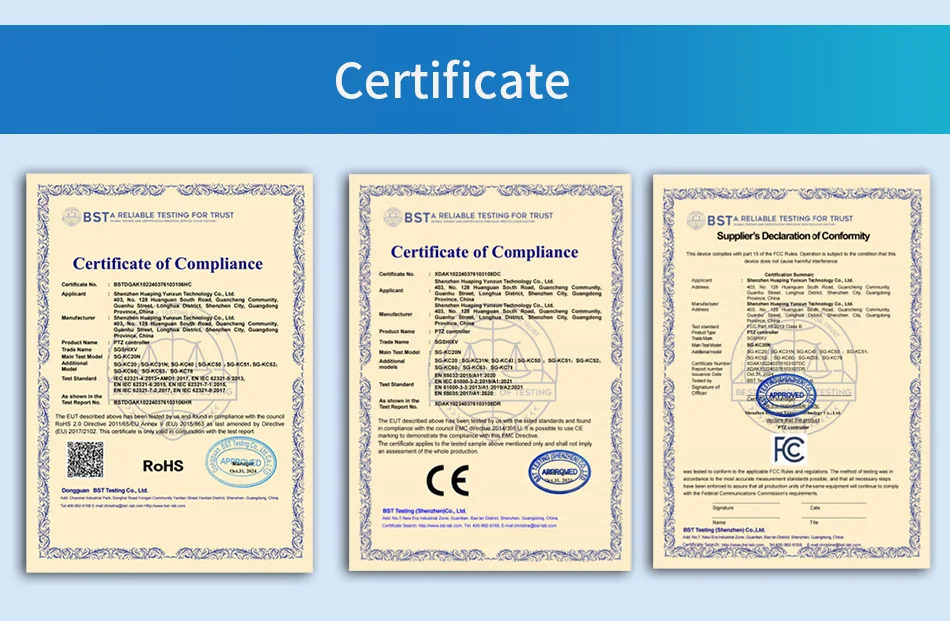
Certification: CE,FCC,RoHS
Color: black
Connectivity: RJ45
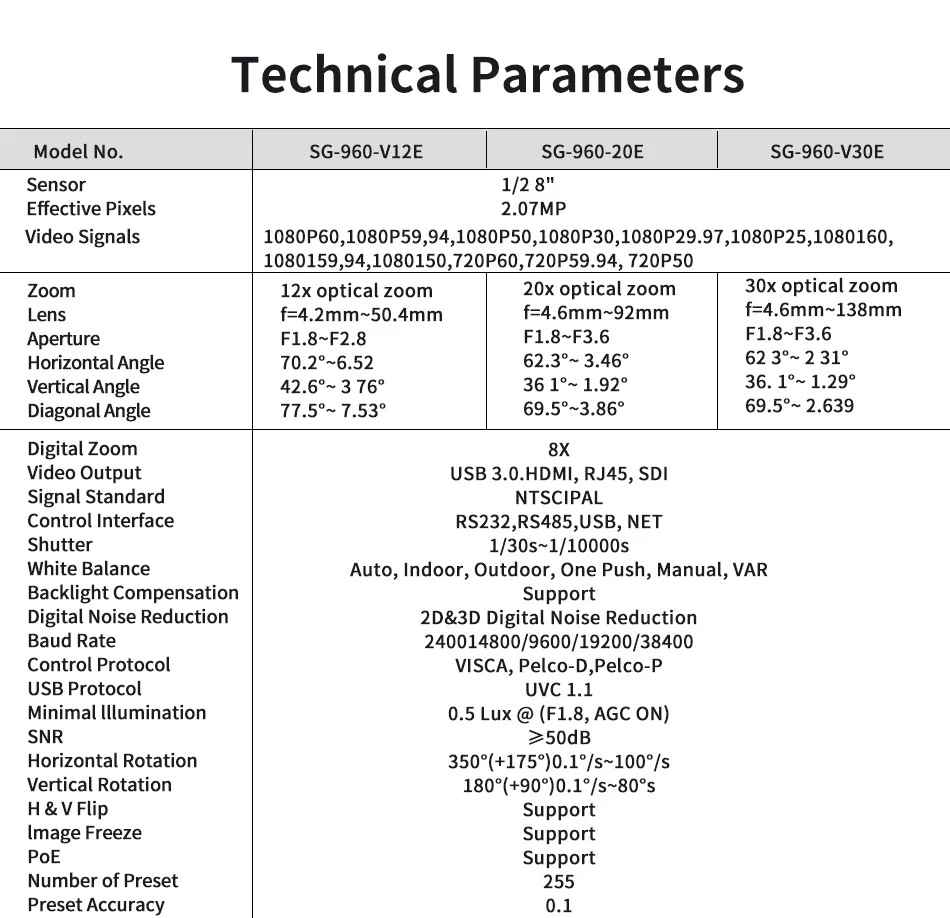
Diagonal angle: 69.5°(W)-2.63°(T)
Digital noise reduction: 2D&3D Digital Noise Reduction
Digital zoom: 8 times
High Definition: 1080P(Full-HD)
High-concerned chemical: None
Horizontal Vision: 62.3°(W) ~ 2.31°(T)
Horizontal rotation range: 350°(±175°)
Installation: ceiling,Wall Mounted,Pendant Mount
Language: English /Simplified Chinese
Lens (mm): 3.3-97mm
Lens Quantity: Single Lens
Megapixels: 5 MP
Model Number: SG-960-V30E-N
Optical zoom: 30 times
Origin: Mainland China
Power Supply: With Poe
Scene: Indoor
Sensor: CMOS
Sensor Brand: Sony
Shell Material: Plastic
Style: Box Camera
Supported Mobile Systems: Windows Mobile,Android,iOS
Supported Operating Systems: Windows 7,macOS,Windows 8,Windows 10
TF Card: None
Vertical angle: 36.1°(W)-1.29°(T)
Video Compression Format: H.265,H.264
Whether or Not 50Vac or 75Vdc or Higher Power Supply: Yes
Zoom: 30x
Zoom type: Optical zoom
aperture: F1.8 ~ F3.6
focal length: f=4.6mm ~ 138mm
Specification
*SGSHIXV NDI PTZ Camera bundle INCLUDES: 1-4 pieces of 30X Zoom NDI PTZ Camera and 1 piece of KC20 PTZ Camera Controller
The PTZ controller does not come with NDI protocol. If needed, please contact customer service.
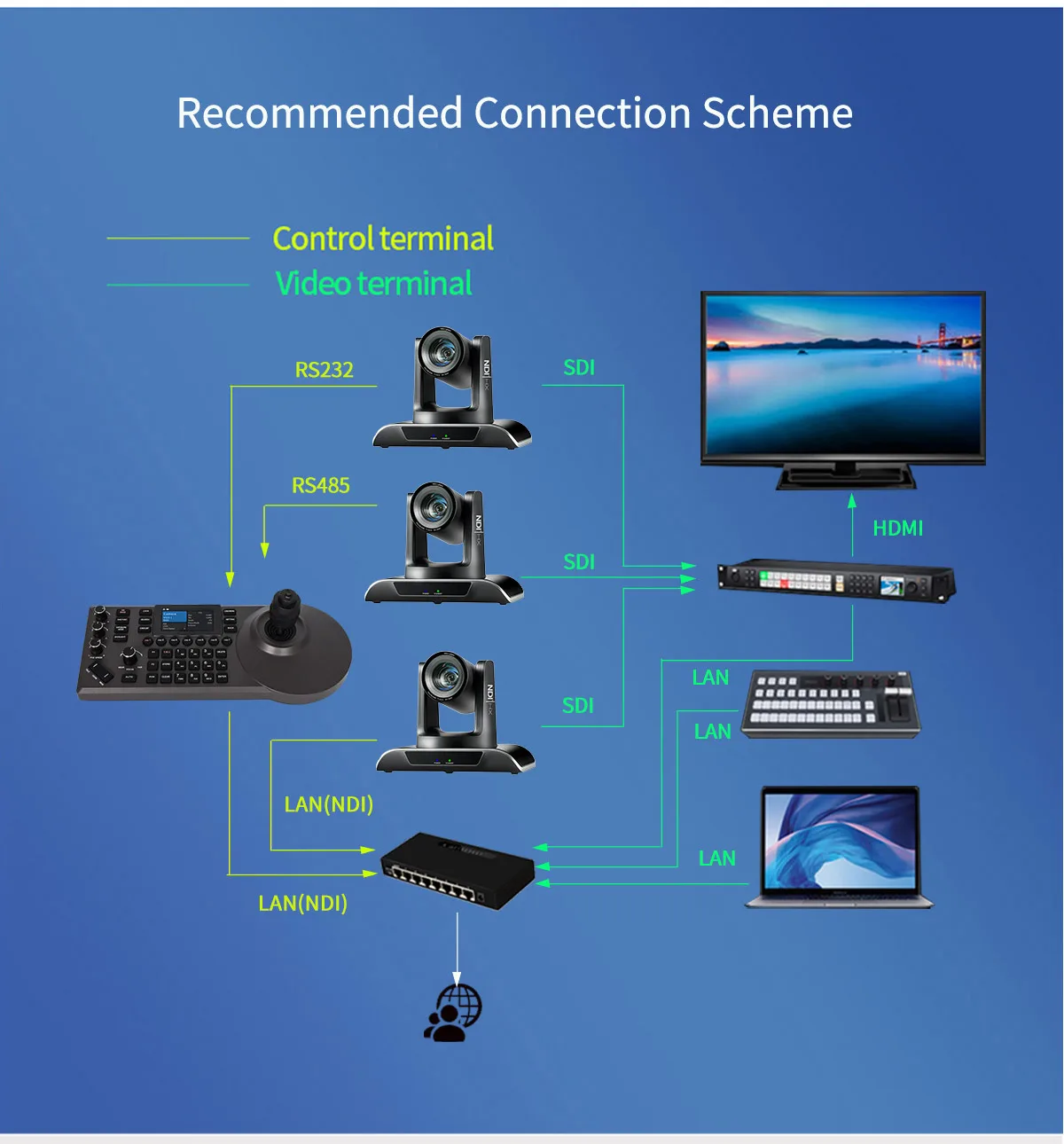
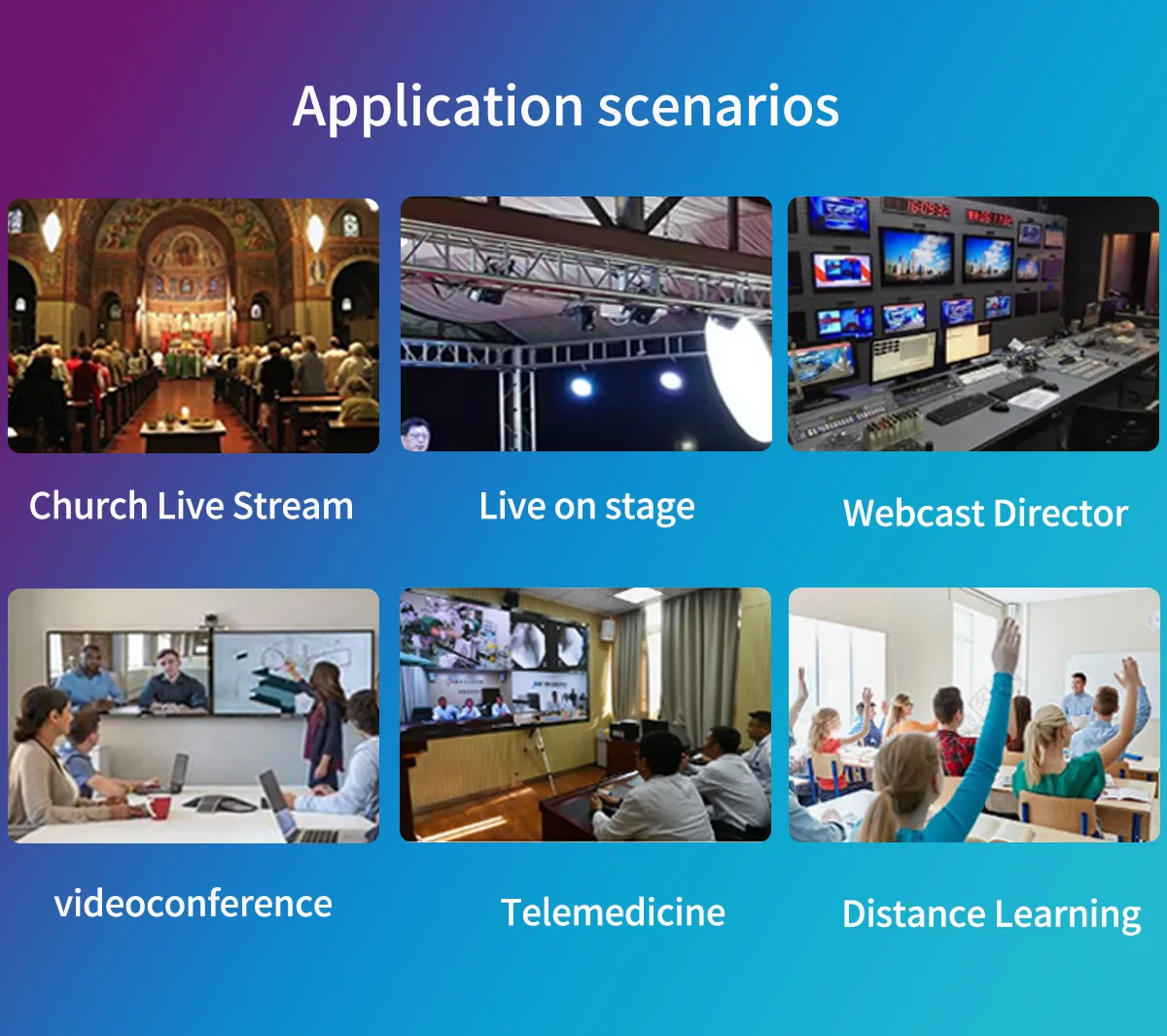
*NDI PTZ Bundle:30x Optical Zoom NDI Camera. Support PoE. Simultaneous NDI、 HDMI、3G-SDI、 IP Streaming Camera. NDI camera for Church、 Video conferencing、 Education、Live Streaming、Broadcast and houses of worship.
*True to Life Colors and pretty picture quality. HD 1080P60fps PTZ Camera with rich video formats 1080P60, 1080P59.94, 1080P50, 1080P30, 1080P29.97, 1080P25, 1080I60, 1080I59.94, 1080I50, 720P60, 720P59.94, 720P50. Support H.264/H.265/MJPG video compression. Gear transmission structure ensures more accurate positioning of preset. More reliable and durable than other products in the market.
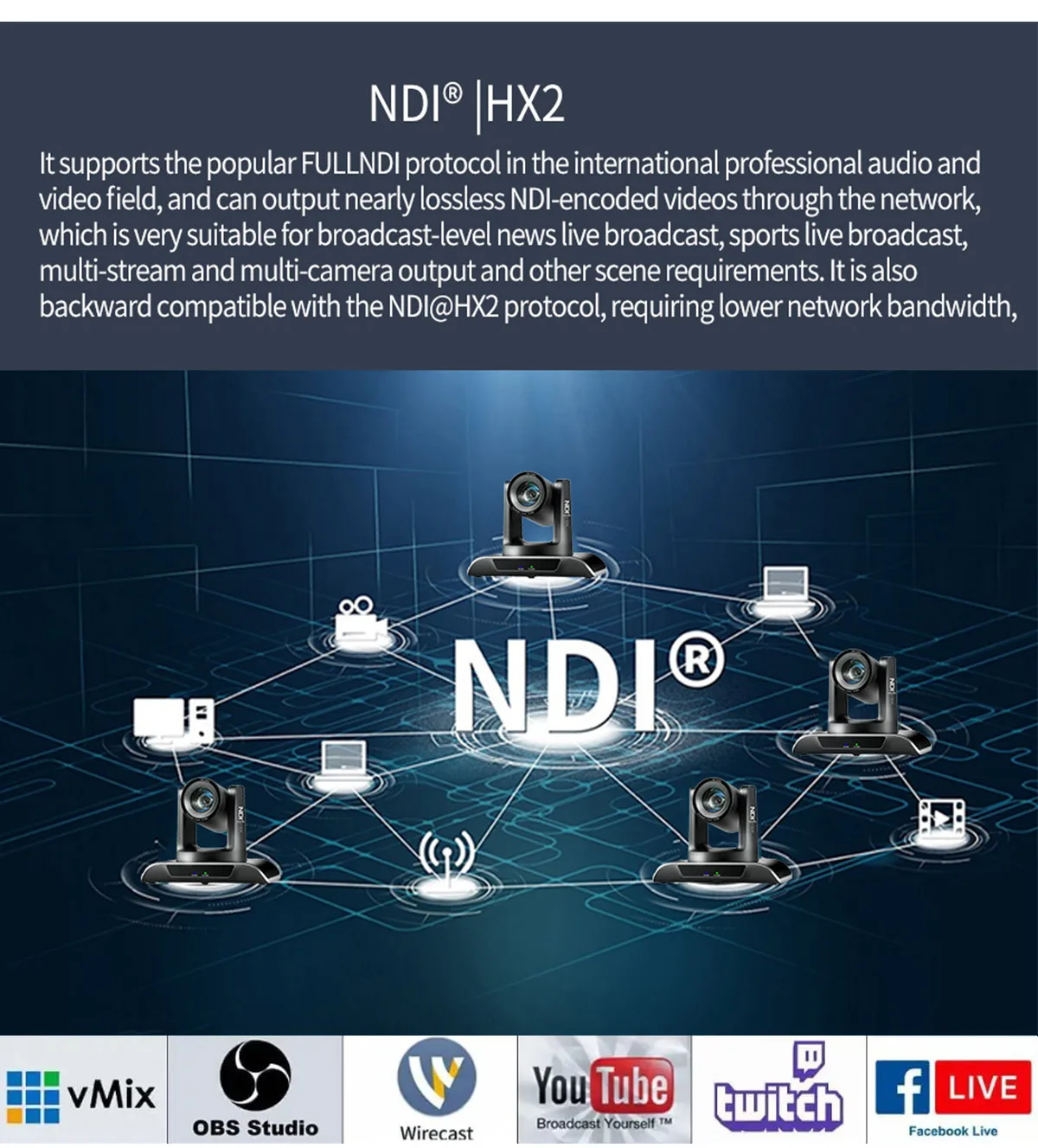
*Compatiable with vMix, OBS and other Live Video Streaming Software. Compatible with Video Mixer Switcher and PTZ controller, make it easy to create professional multi camera productions for live streaming to YouTube and Facebook.
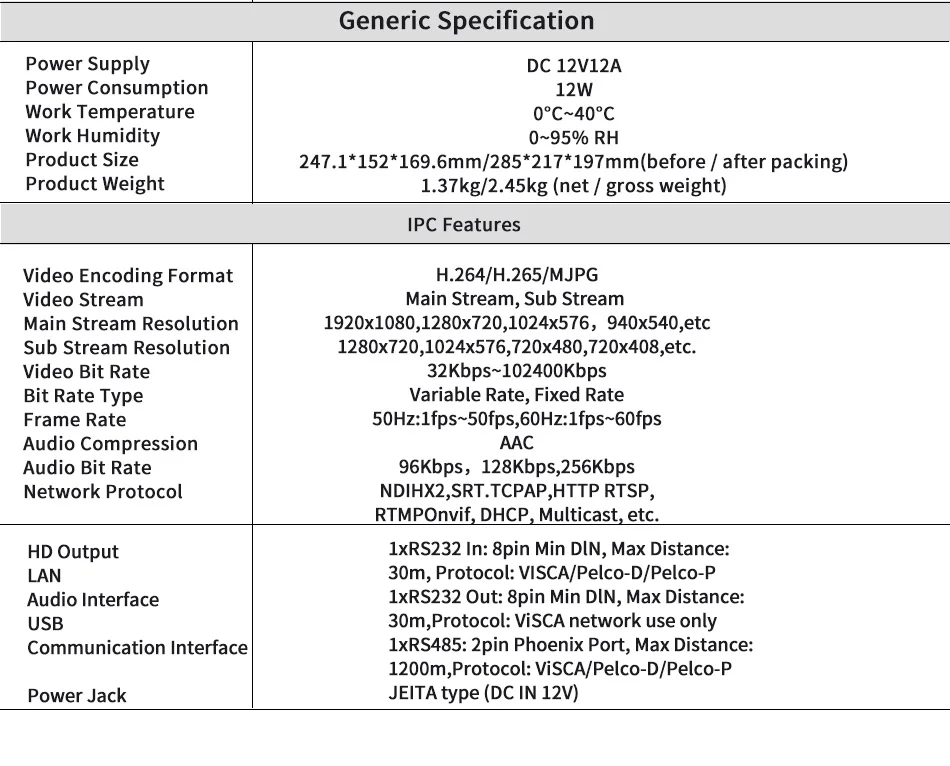
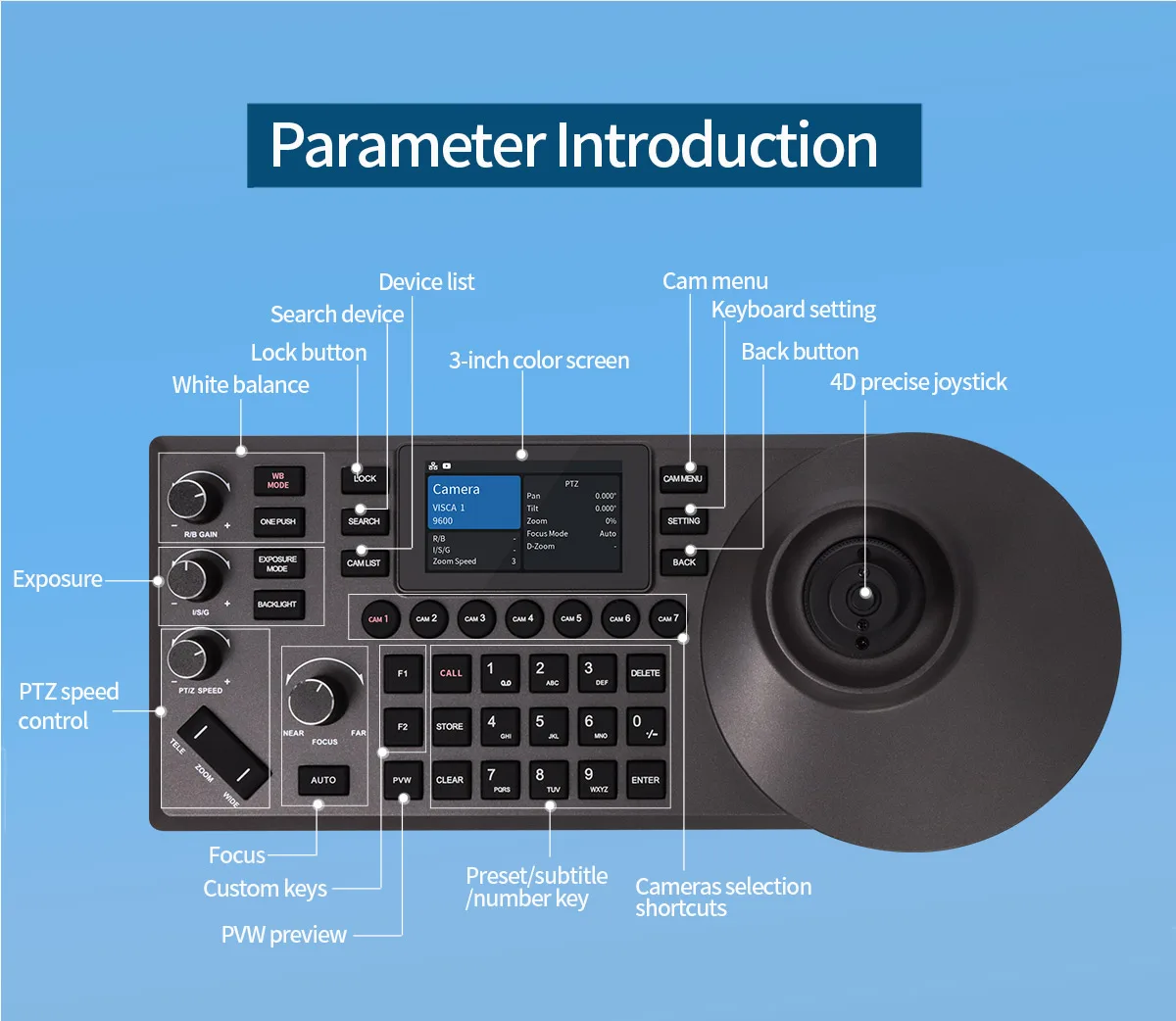
*PTZ Controller PoE Camera Controller, PTZ Camera Controller Keyboard with 4D Joystick for Live Streaming, PTZ Network Keyboard Visca PELCO D/P RS232 RS485, 3-Inch LCD
Product Description 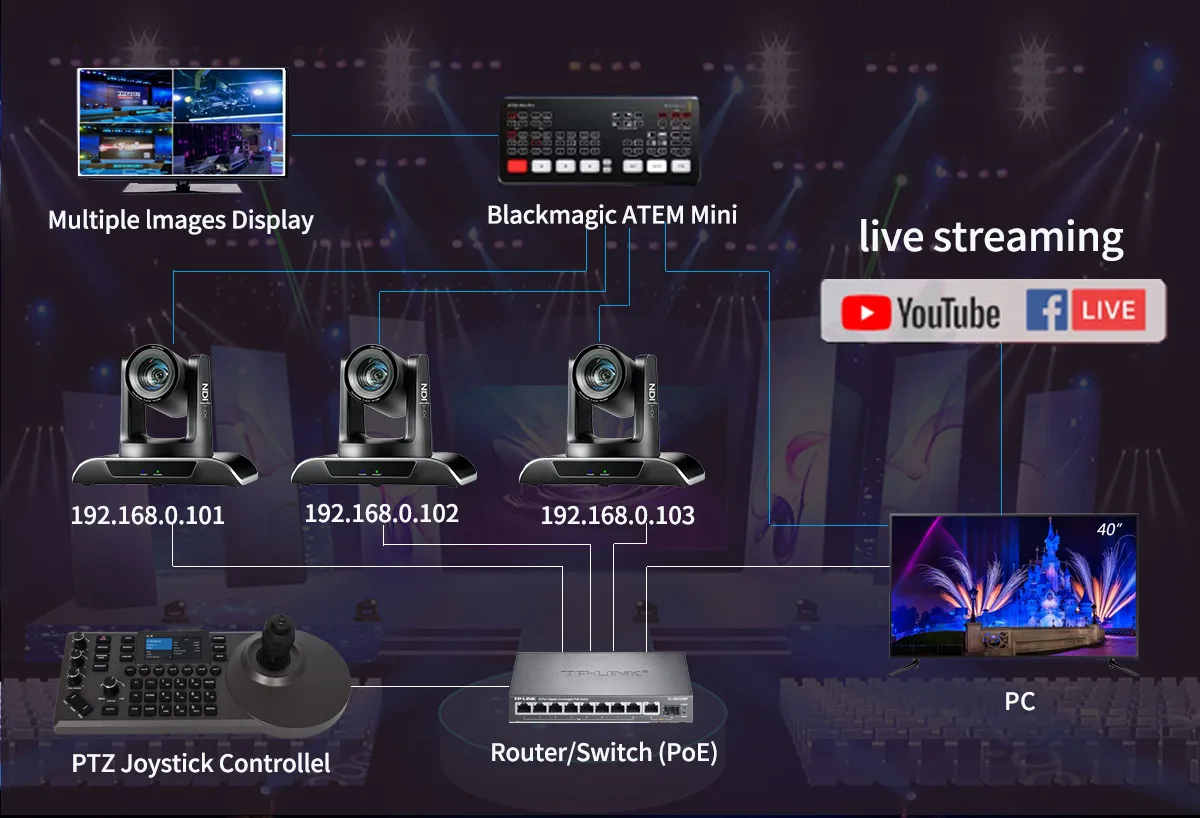
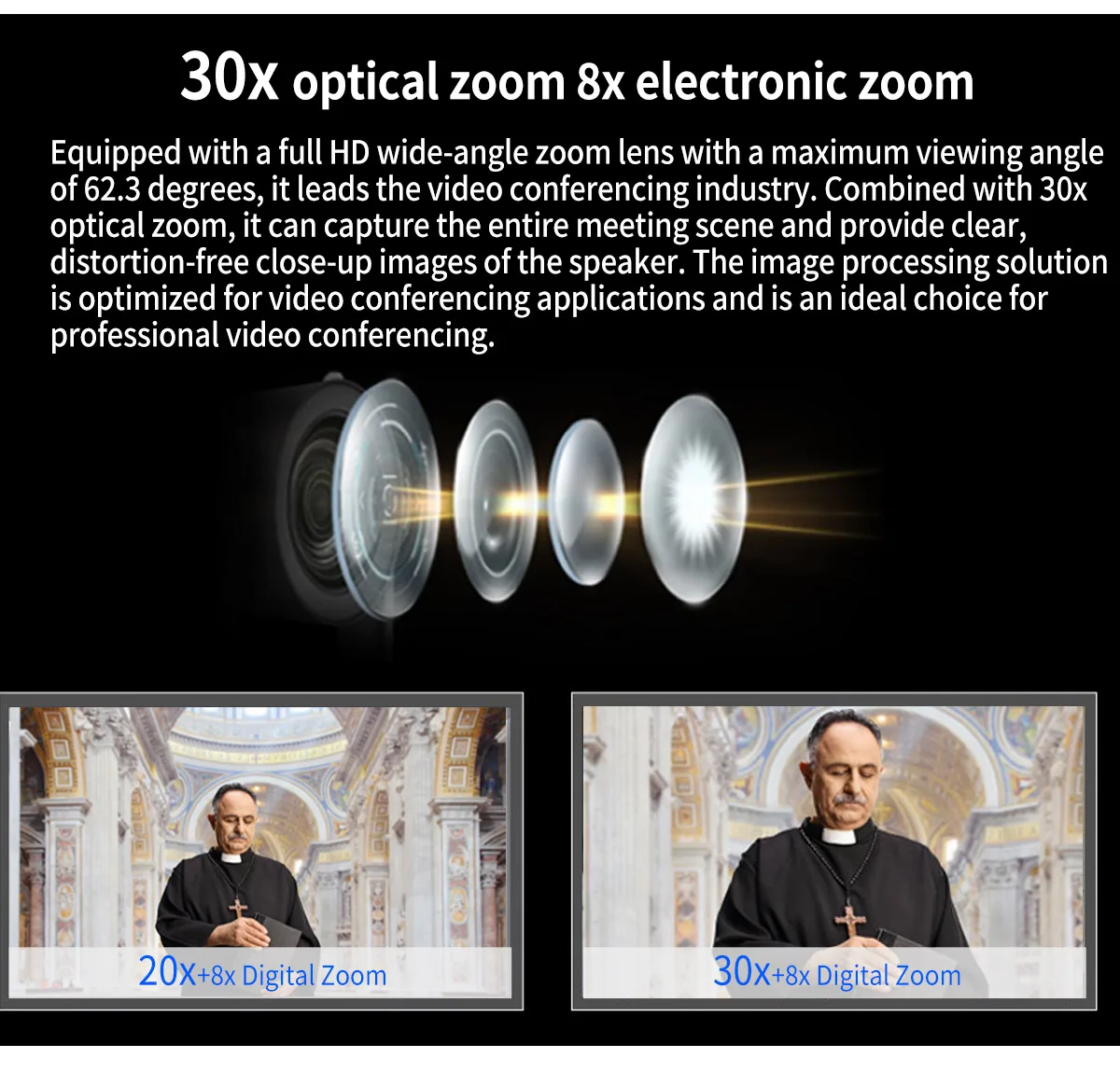
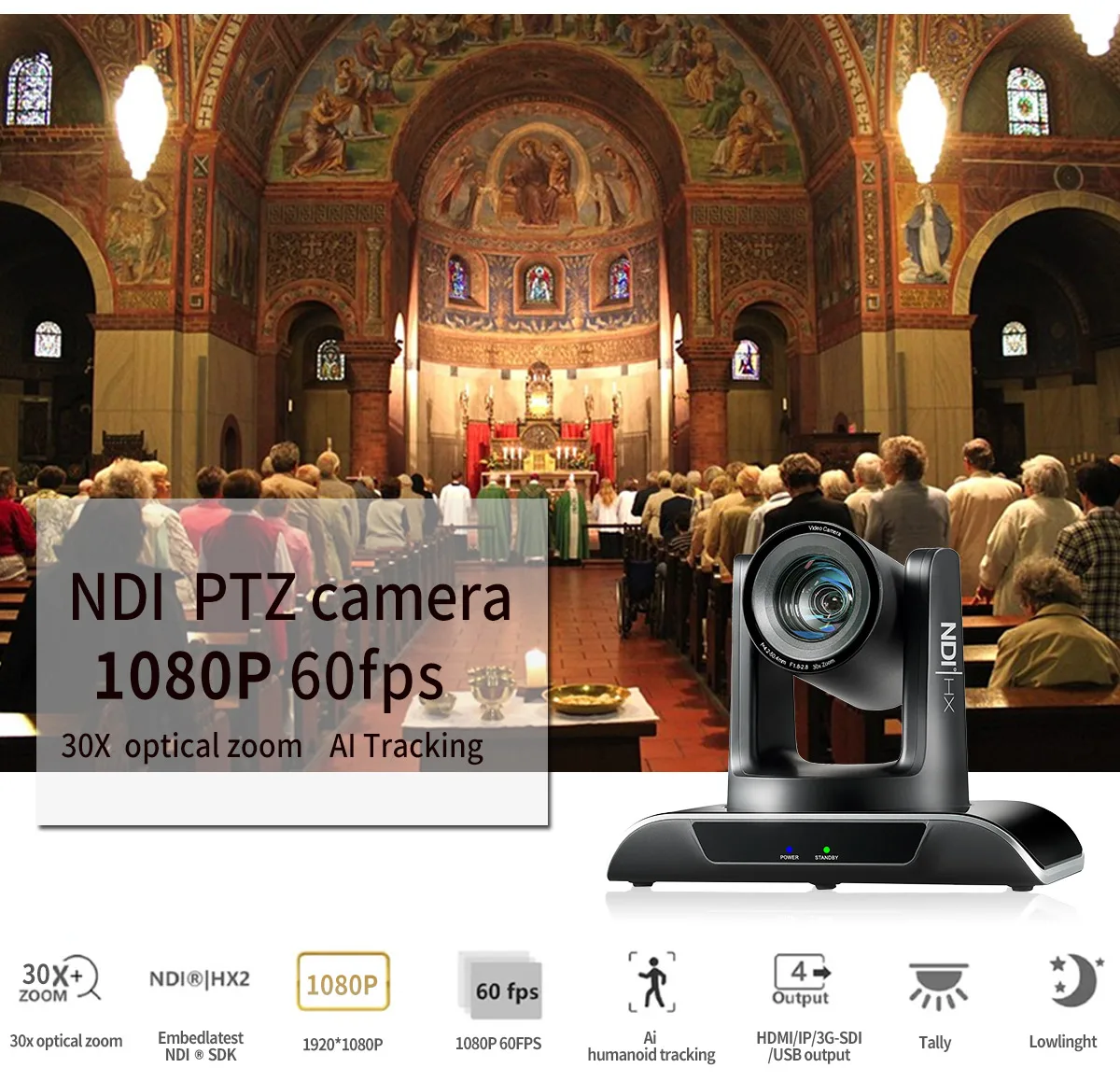 30x optical zoom, video can be magnified up to 30x without loss, Supports 8x digital zoom,allowing for close-up shots of leaders.
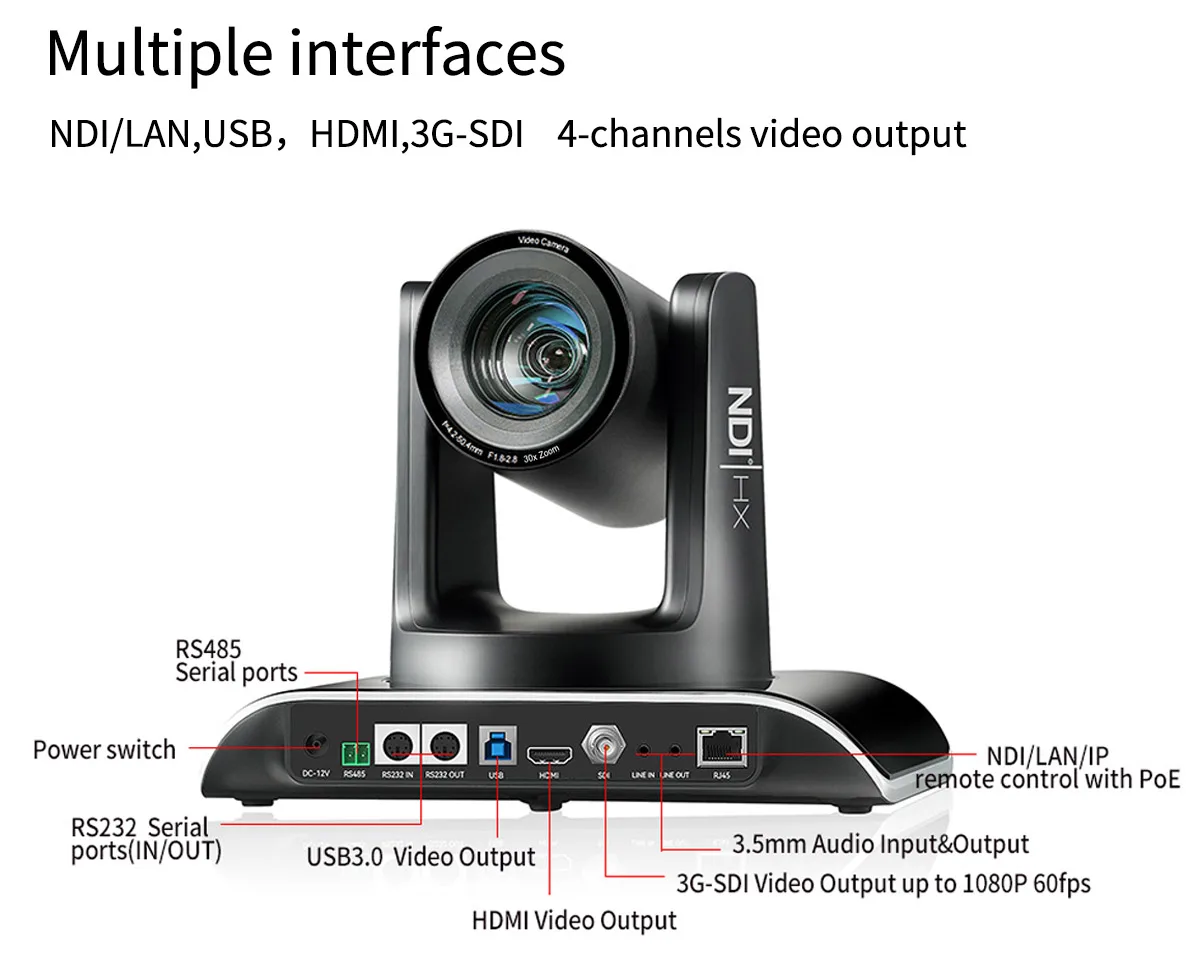
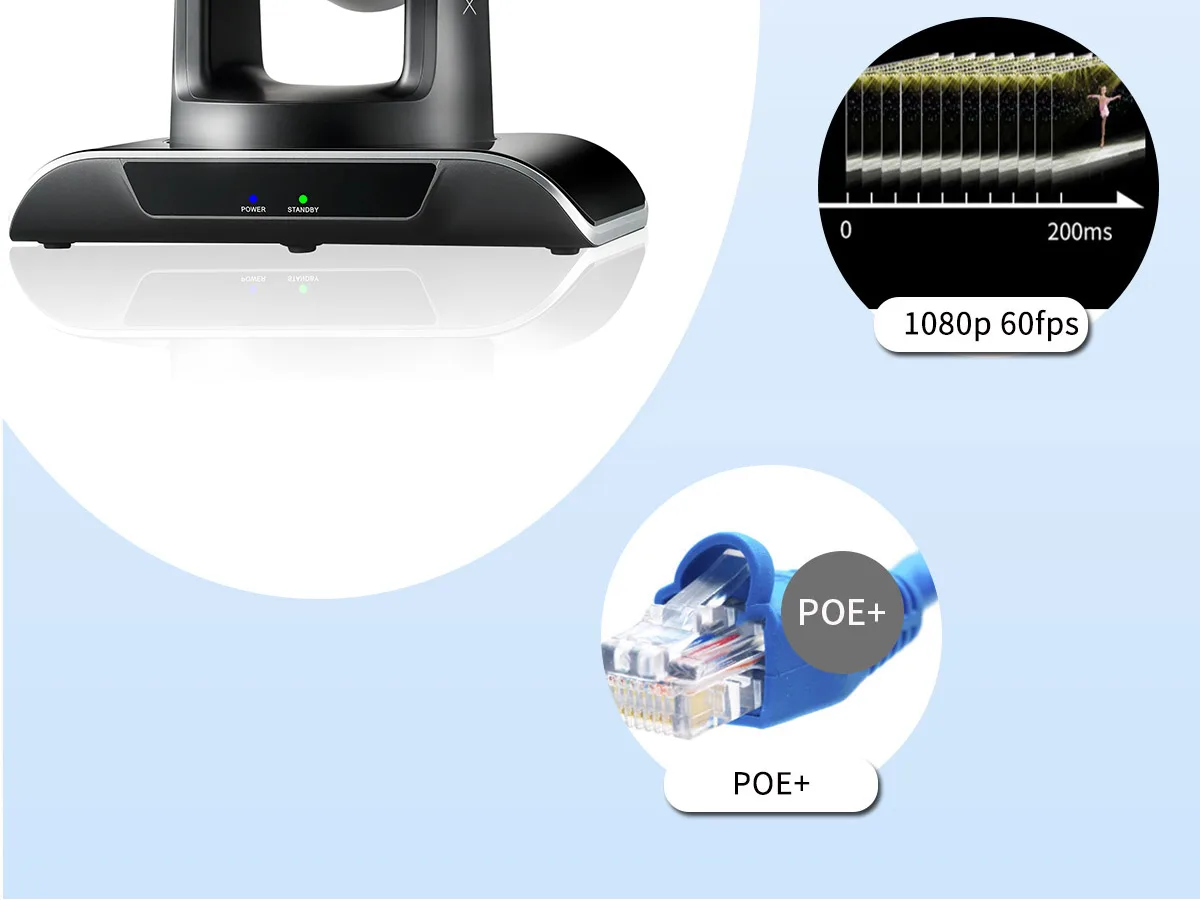
 Support HDMI, SDI, USB3.0, LAN to support audio and video output at the same time; LAN interface supports POE power supply, USB3.0 support dual -code stream, SDI supports 100 meters in 1080p60 format.
 Support NDI ONVIF, GB/T28181, RTSP, RTMP, VISCA OVER IP, IP Visca, RTMPS, SRT protocol; support RTMP push mode, and easily link the streaming server (Wowza, FMS); support RTP broadcast mode.
 Adopting a new generation1/2.8 SONY CMOS sensorwith 5 millionpixels, it can achieve high-quality images with a maximum resolution of 1080P and 60frames per second.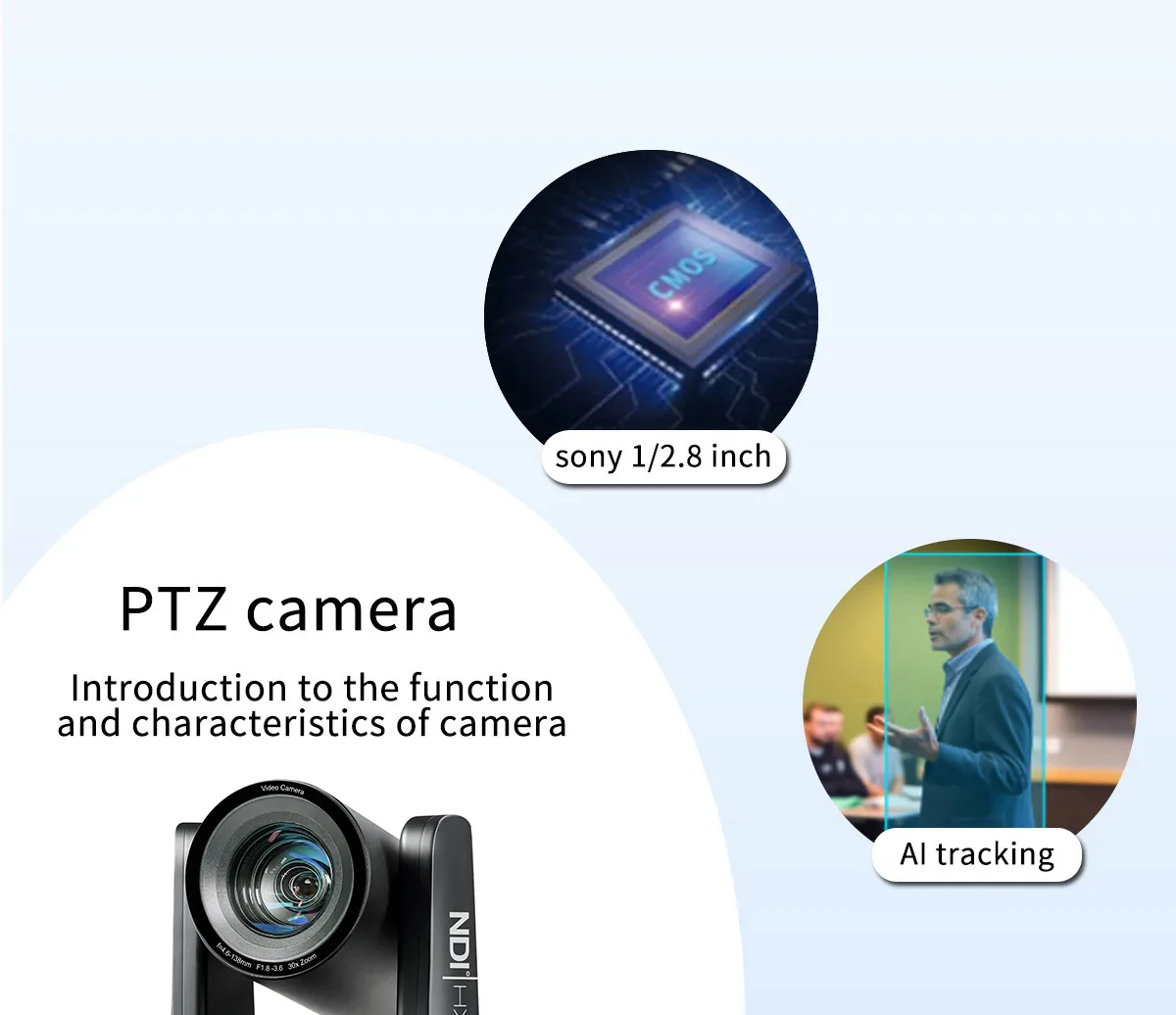
 Built-in 3-inch color screen:
Support real-time PVW of current camera viewing through up streaming.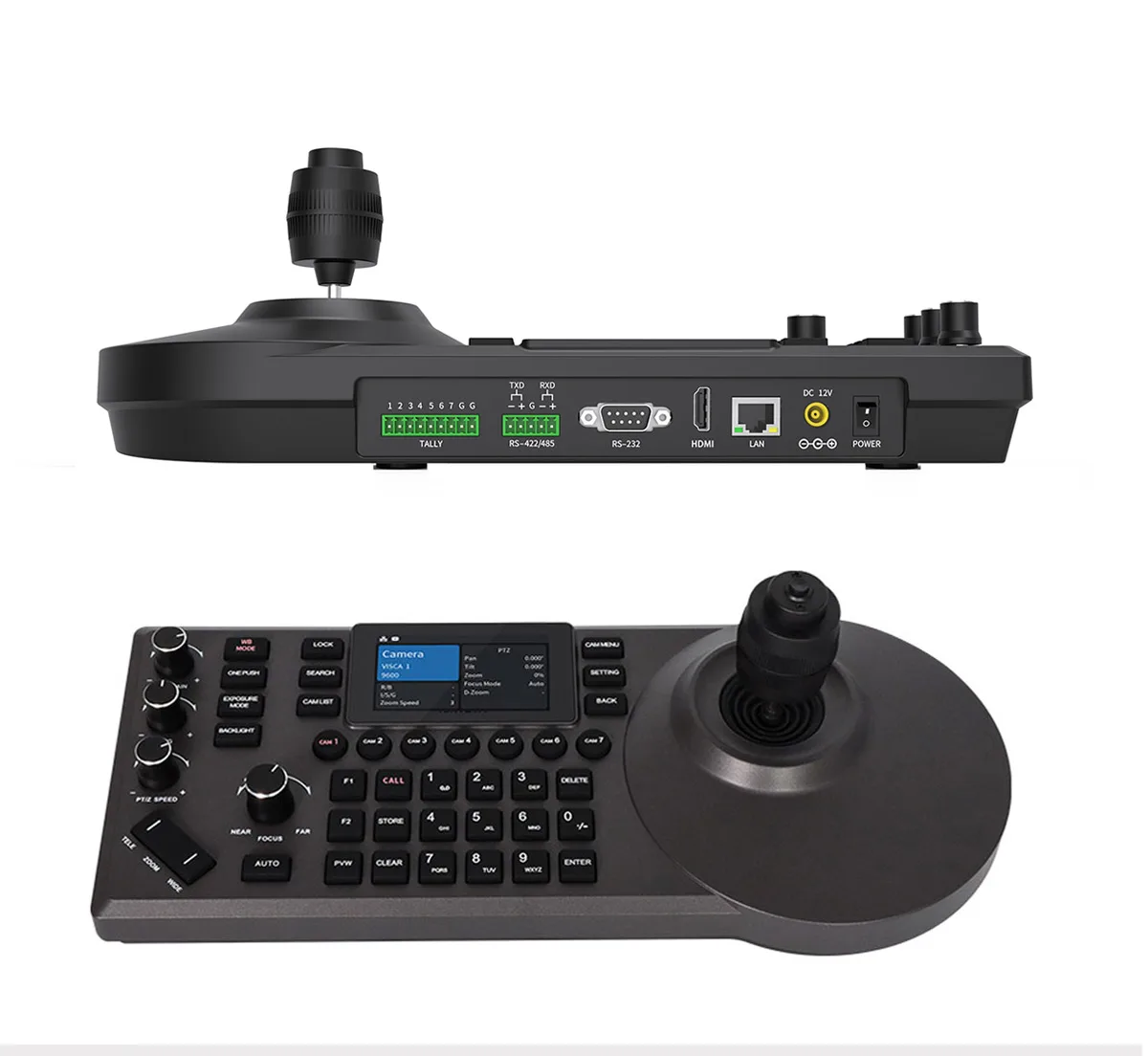
 Multiple control protocols, apply to abundant venues:
Support VISCA、VISCA Over IP、VISCA TCP、PELCO P/D、Onvif, support automatic protocol recognition
Optional NDI potocol
* Additional licenses are required to upgrade the NDI function, please consult the manufacturer for details.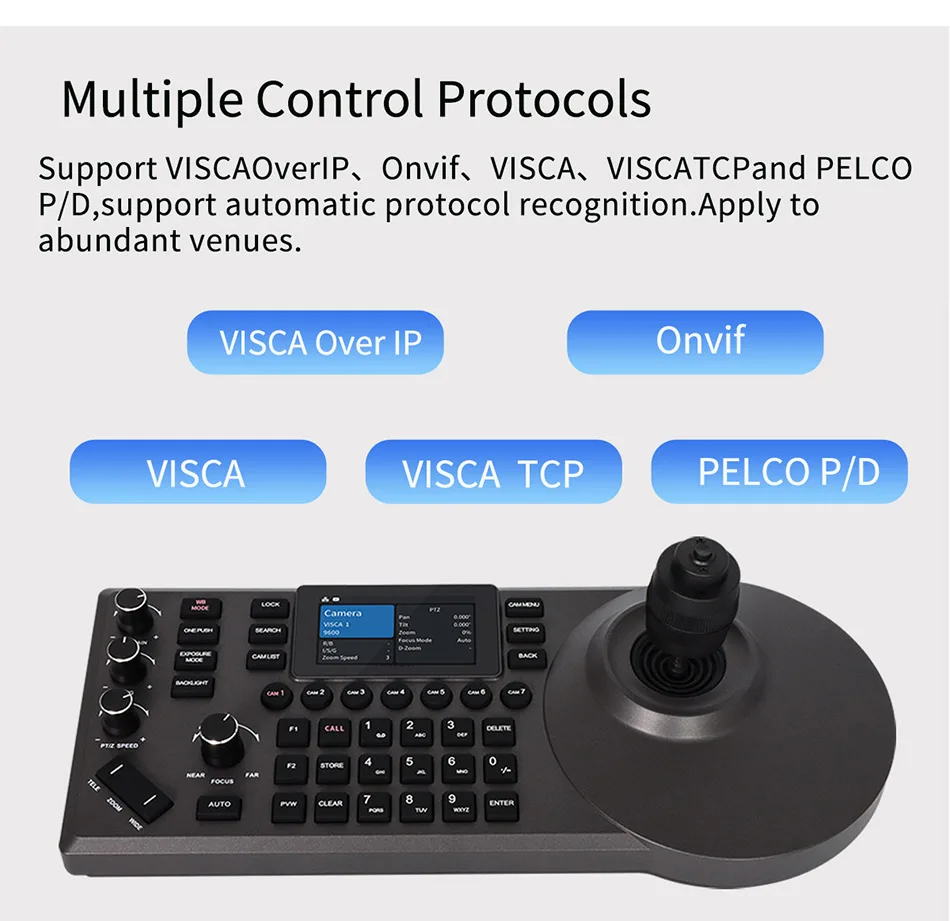
 Abundant interfaces, multiple connection methods:
External RS-232, RS422/485 serial port and RJ45 network interface. The network interface supports POE function, thereby reducing wiring trouble.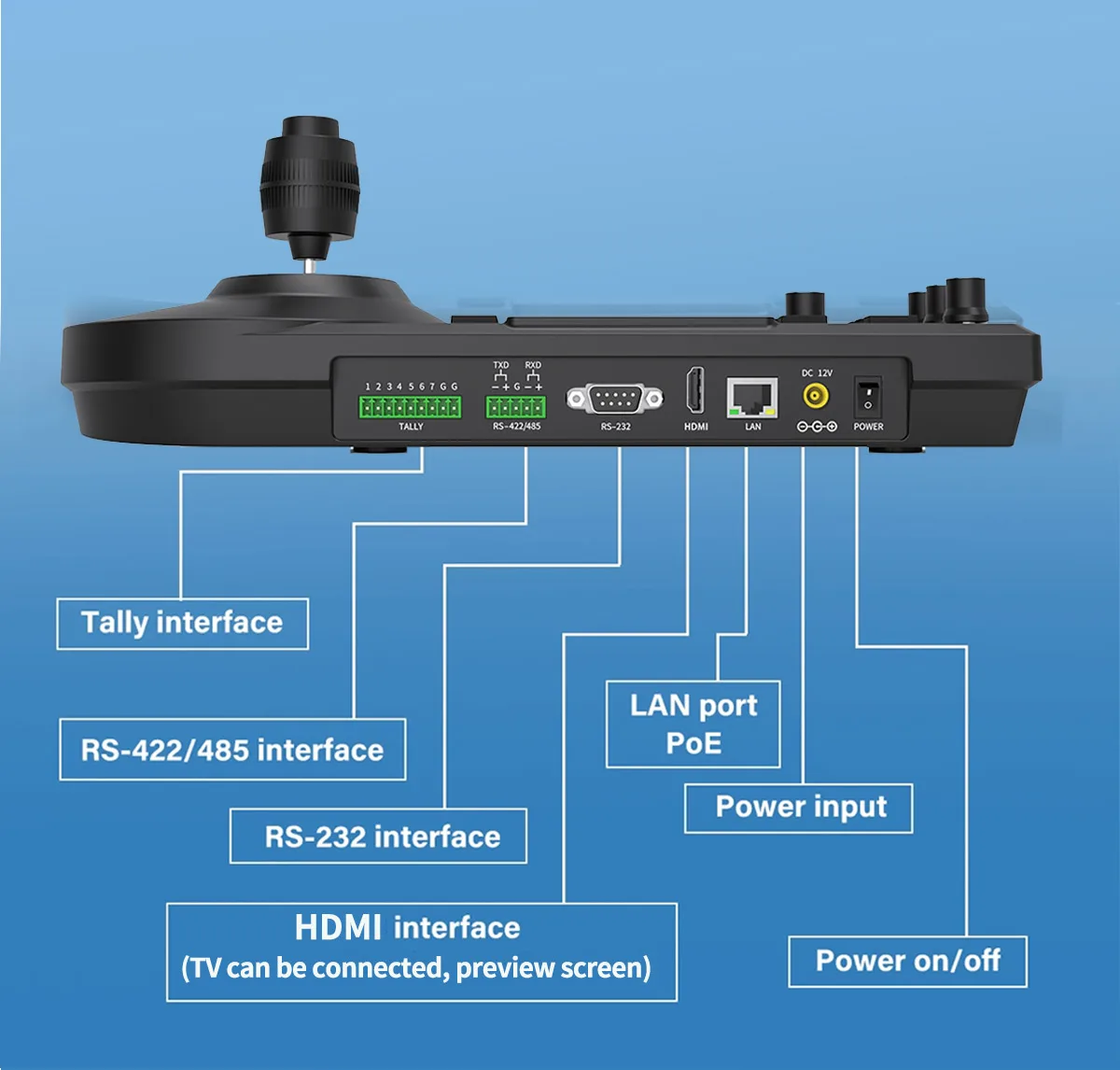
 Q&A
Q&A
QHow to control PTZ camera?
A: There are three control methods:
1. Directly using an infrared remote control, suitable for controlling a single camera, with an effective distance of about 8 meters.
2. PTZ controller control, convenient and simple, can simultaneously control 7 cameras.
3. Web backend control, suitable for single camera control and parameter modification.
QWhat are the output interfaces?
A: HDMI+USB3.0+LAN(PoE+)+3G-SDI
HDMI: Connect to a local display screen or capture card.
USB 3.0: Directly connect to a computer for software conferencing.
LAN (PoE+): Used for live streaming, web control, and camera power supply.
SDI: Professional live streaming scene, used for long-distance lossless transmission.
Q:How to open the web backend?
A: Step 1: The IP addresses of the computer, PTZ camera, and controller must be in the same network segment, and the first three digits of the IP address must be the same, for example 192.168.0. XXX
Step 2: Open the browser and enter the IP addresses of the PTZ camera and controller. The username and password are both: admin. You can refer to the instruction manual]
QHow to set/use preset positions?
A: Directly use the infrared remote control and press the "preset+1" button respectively, indicating that the first preset position has been successfully set. Call the preset position and press the number keys (0-9) directly.
To set the preset position of the controller, first press the "STORE" key, then press the number "1" key to successfully set the preset position 1. To call the preset position, first press the "CALL" key, then press the number "1" key to call the preset position 1.
Please contact us before leaving any negative or neutral feedback. We will reply with you to solve problems as sooner as possible.
If you are satisfied, please give us a five-star review⭐⭐⭐⭐⭐
If you have any doubts, please contact us~
Contact us
Sales Manager: 0086 13141710652 Huang
WhatsApp: +0086 18926079562
WeChat: +0086 13141710652


