Price :
QTY :
CART TOTALS :
There are items
in your cart
CART TOTALS :
With this products also buy:


We identified: …


Applicable to the internal diameter of aluminum tubes: It is a round pipe with a diameter of 37mm to 38mm and needs to have a slot
BOYARCA Model: MYQ-RM25-1.3/25-BM
Battery Included: Yes
Battery capacity: 3200mAh
Brand Name: Boyarca
Certification: CE
Choice: yes
High-concerned chemical: None
Input voltage: DC 5V2A,The shipping packaging does not include
Maximum current: 1.4A
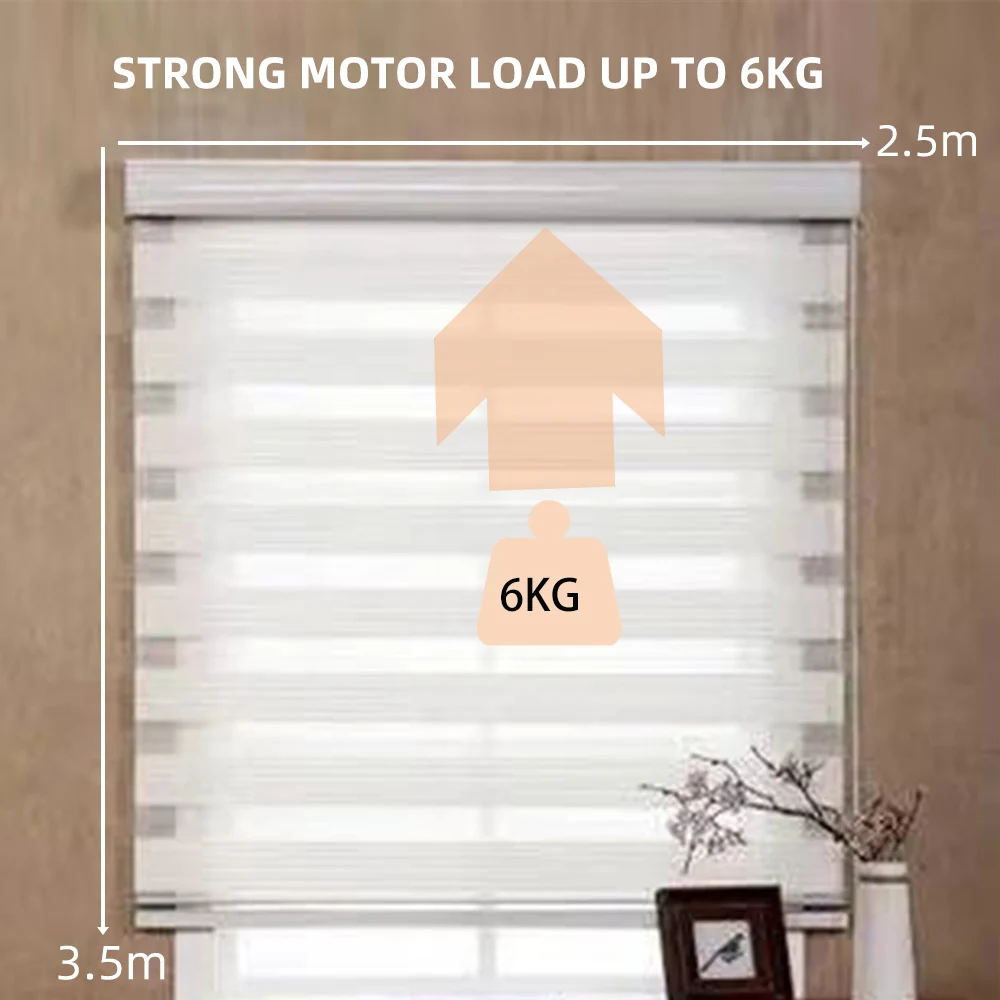
Maximum load capacity of 38 pins: 6KG
Model Number: MYQ-RM25-1.3/25-BM
Origin: Mainland China
Rolling Speed: 25PRM
Smart Motor Version: Matter Over Thread Version
The protocol required by the home Pod mini is: Matter Over Thread
Very important information: This is the Matter Over Thread version. Before adding it to the Homekit APP, you must set the upper and lower limits for the motor first, and then the motor will work,Make sure your iPhone or iPad is running iOS 16.0 or above
Voltage: 5V/2A
Wattage: 12w
Which sizes of roller blinds is it applicable to?: It can be used for roller blinds within 2.5 m x 3 m, with a maximum pulling capacity of 6KG
is_customized: None
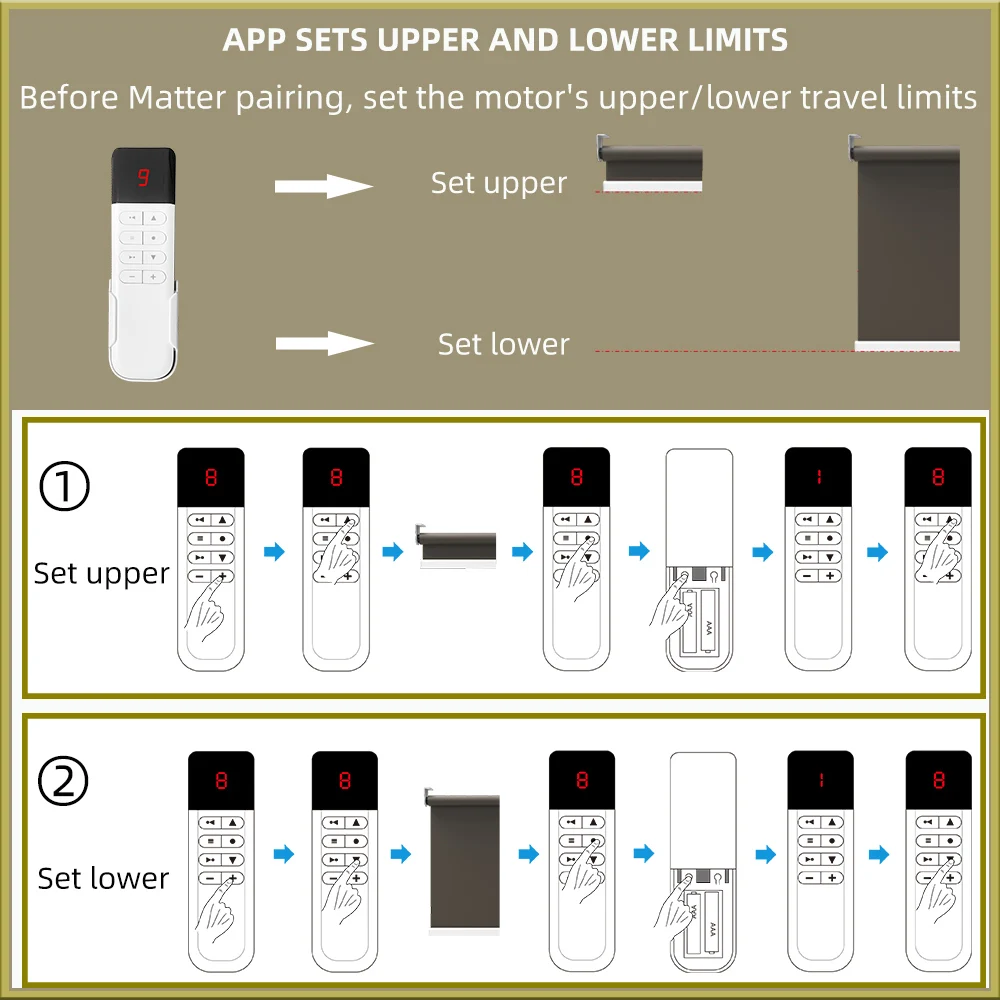
Very important information
For Matter-compatible roller shutter motors, the upper and lower travel limits must be set using the remote control before the motor can be connected to the app. Be sure to set the upper and lower travel limits before use.
1,This is a 1.3 N·m matter over thread rechargeable battery-powered smart roller shutter motor.
2,It is suitable for aluminum tubes with an inner diameter of 37–38 mm and can be used for roller shades up to 2.5m × 3.5m, with a maximum fabric load capacity of 6 kg.
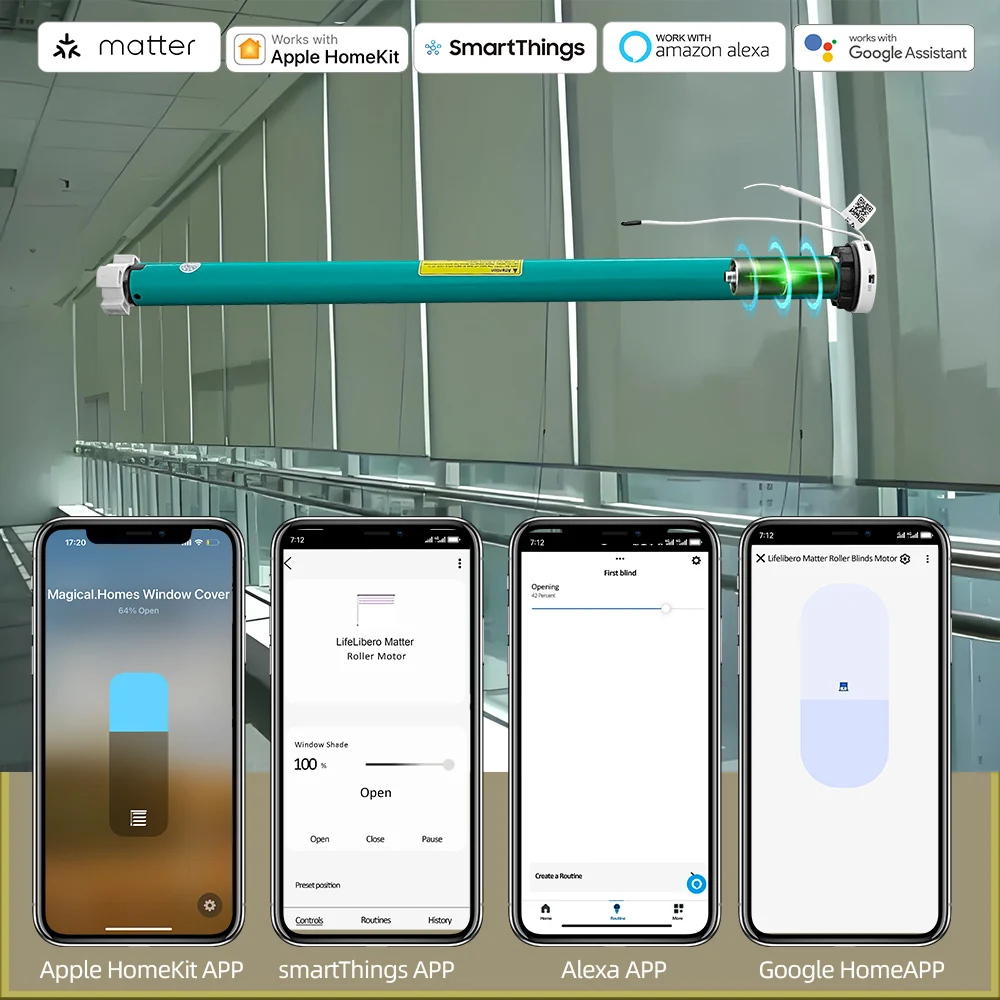
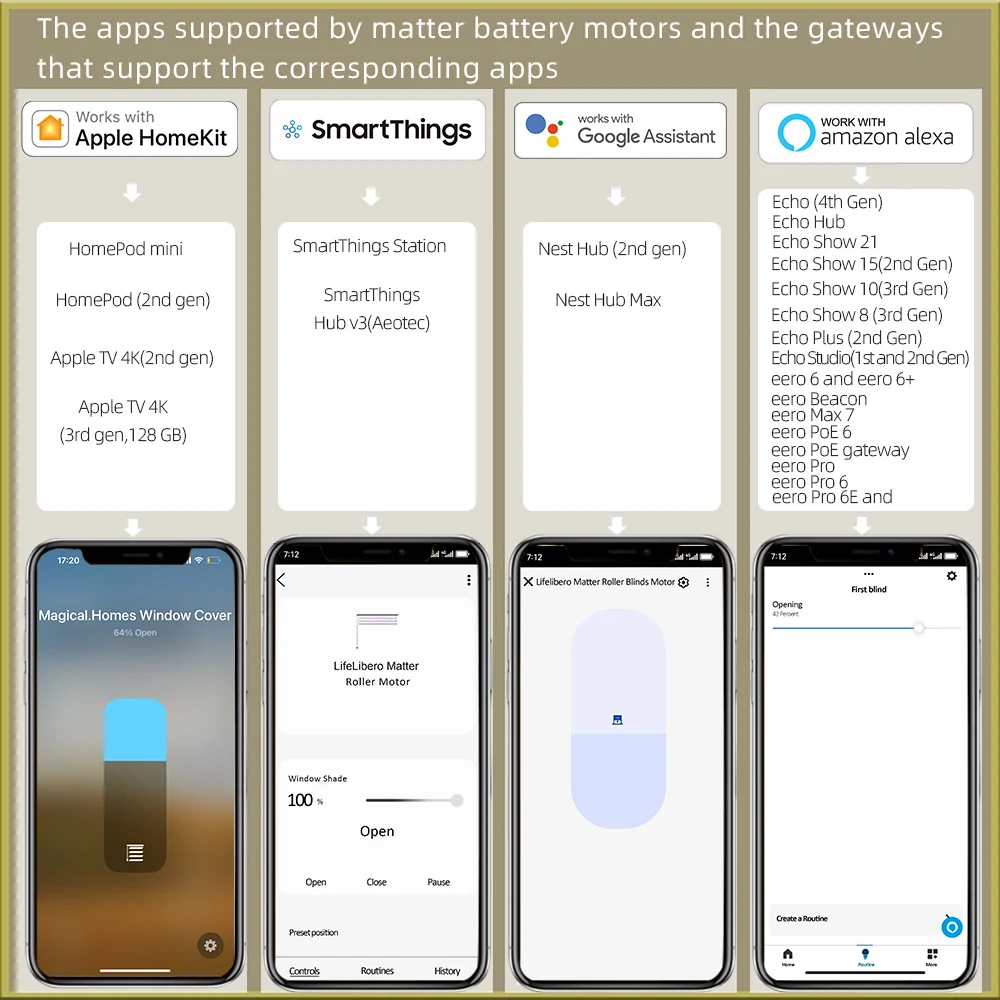
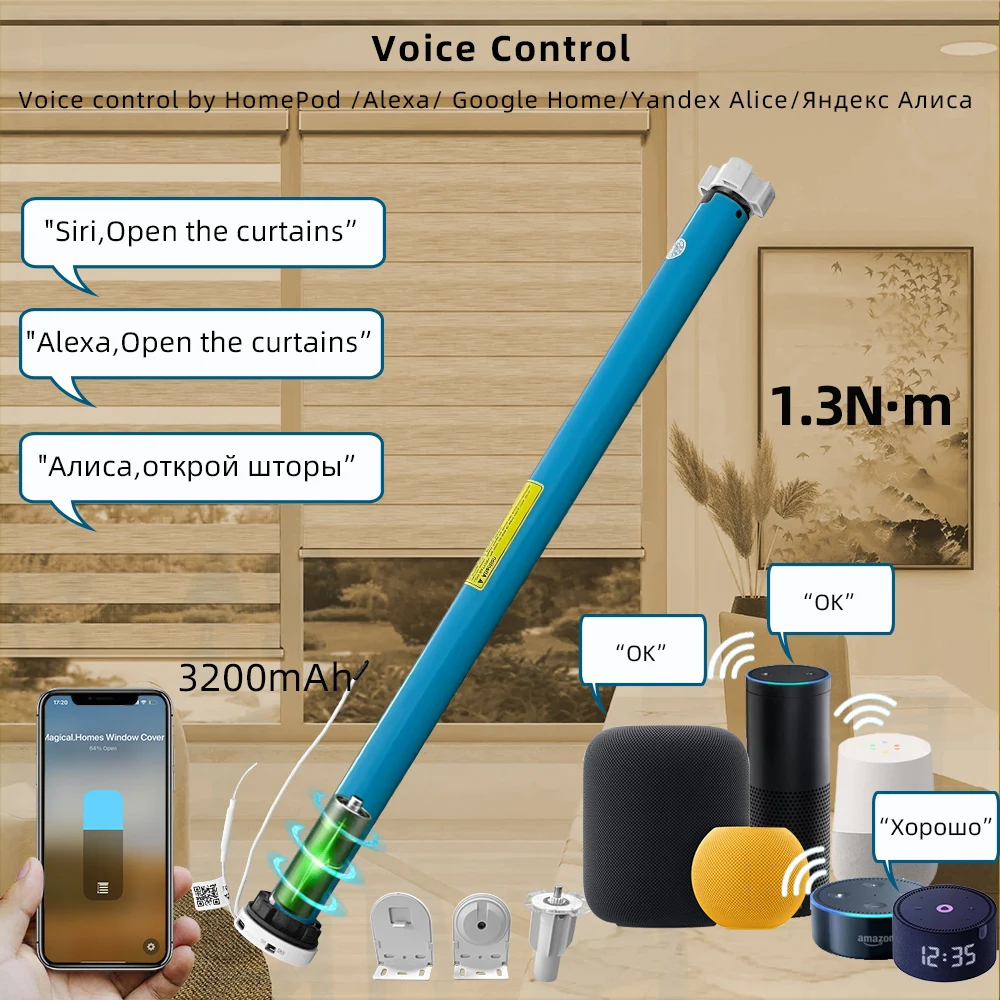
3,It can directly connect to HomePod mini and supports:
HomeKit app
Google Home app
Alexa app
SmartThings app
Tuya Smart app (requires a Tuya Matter gateway for pairing).
Supports remote control operation.
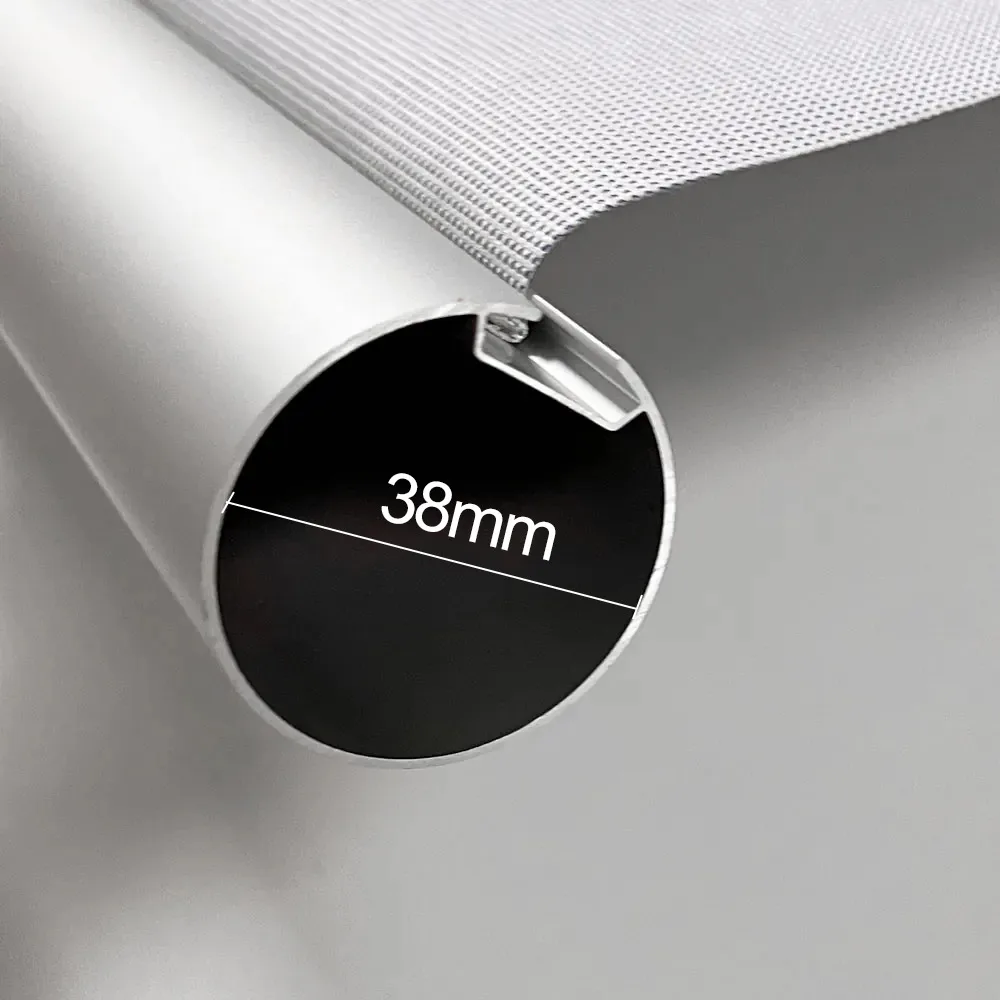
for 37/38mm tube
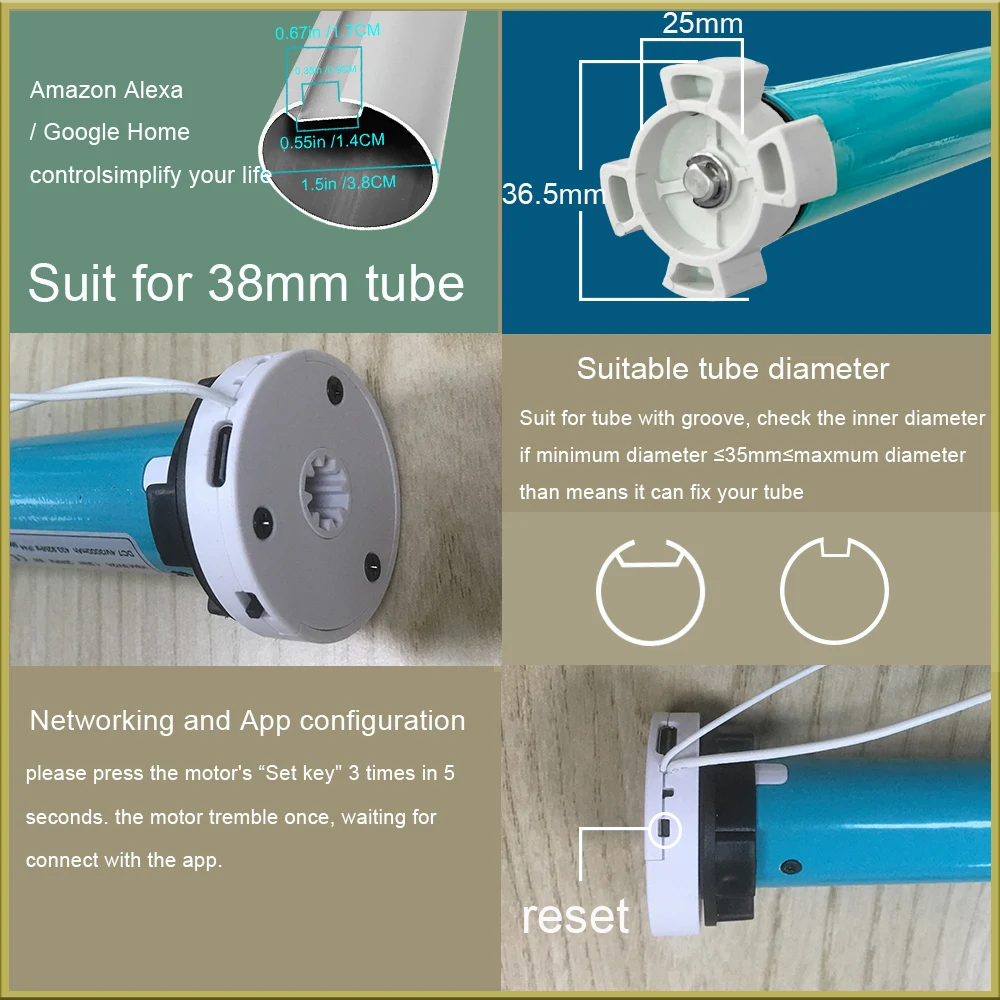
Before connecting the motor to the mobile app, you must first set the upper and lower travel limits using the remote control.
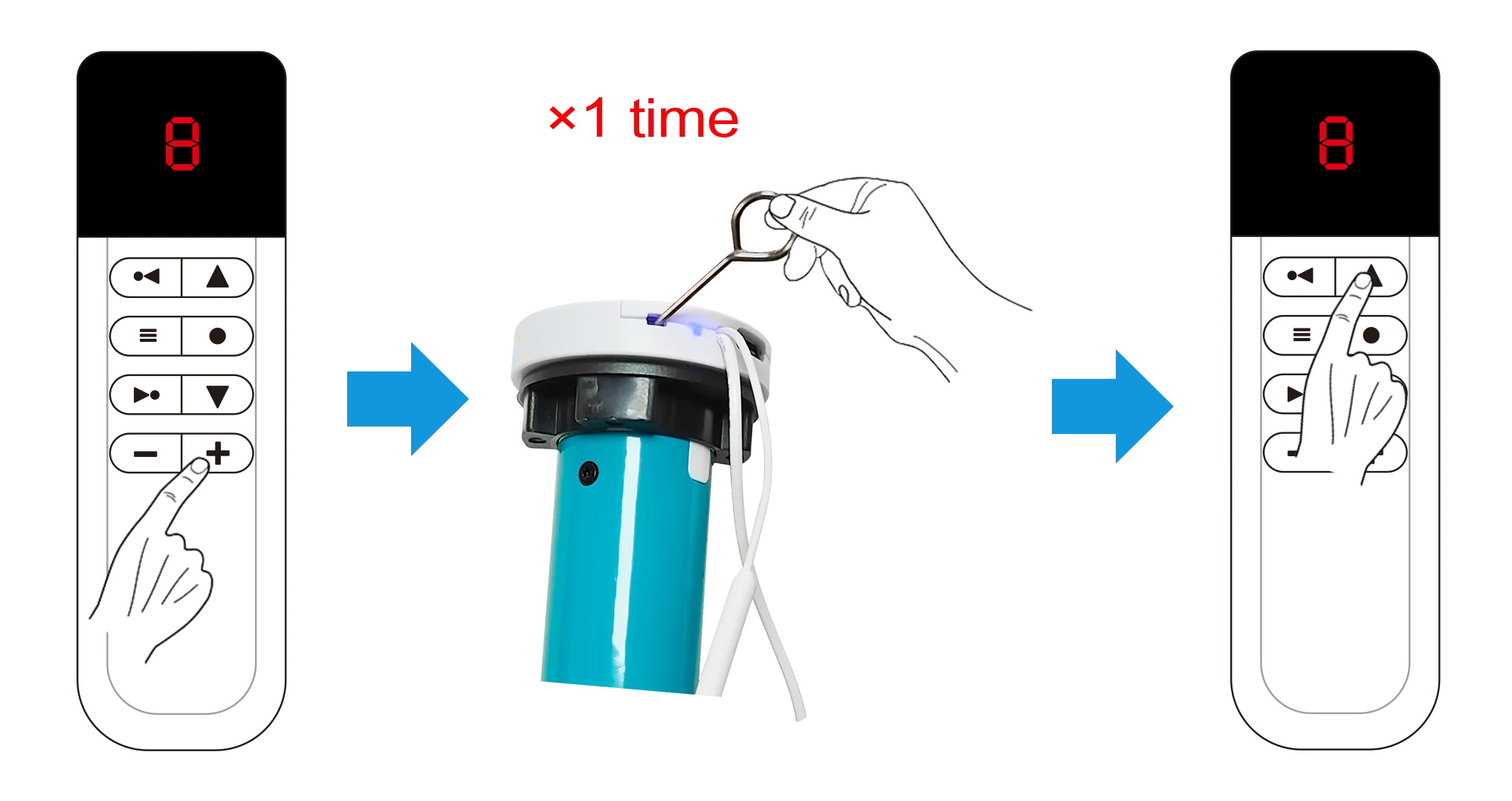
Pairing the Remote Control with the Motor:
1.Power on the motor.
2.Select the desired channel number on the motor.
3.Press the "SET" button on the motor once—you will hear a beep.
4.Press the "Up" button on the remote control once—pairing is now complete.
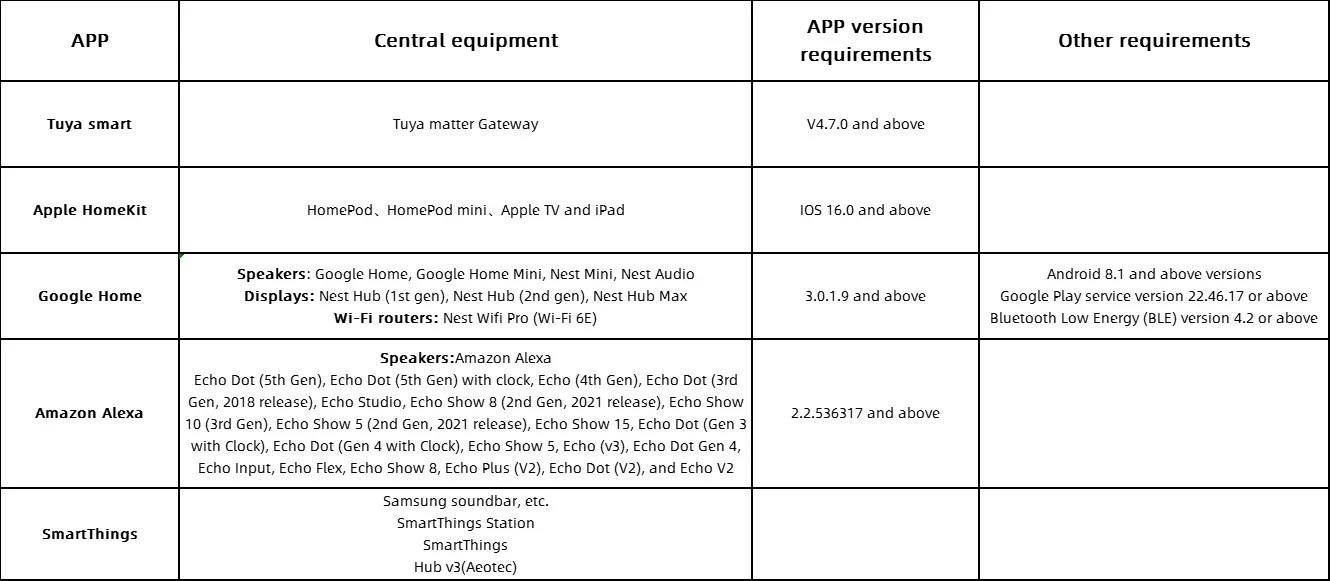
Matter Compatibility and Usage Requirements
Please verify the following information to ensure successful pairing of the motor with the app. If the motor fails to connect, you may contact customer support directly for assistance.
(Alternative phrasing for clarity: "For troubleshooting pairing issues, please contact customer service.")
Hub/Gateway Required for Pairing Matter-Compatible Battery-Powered Roller Shade Motor with Mobile Apps
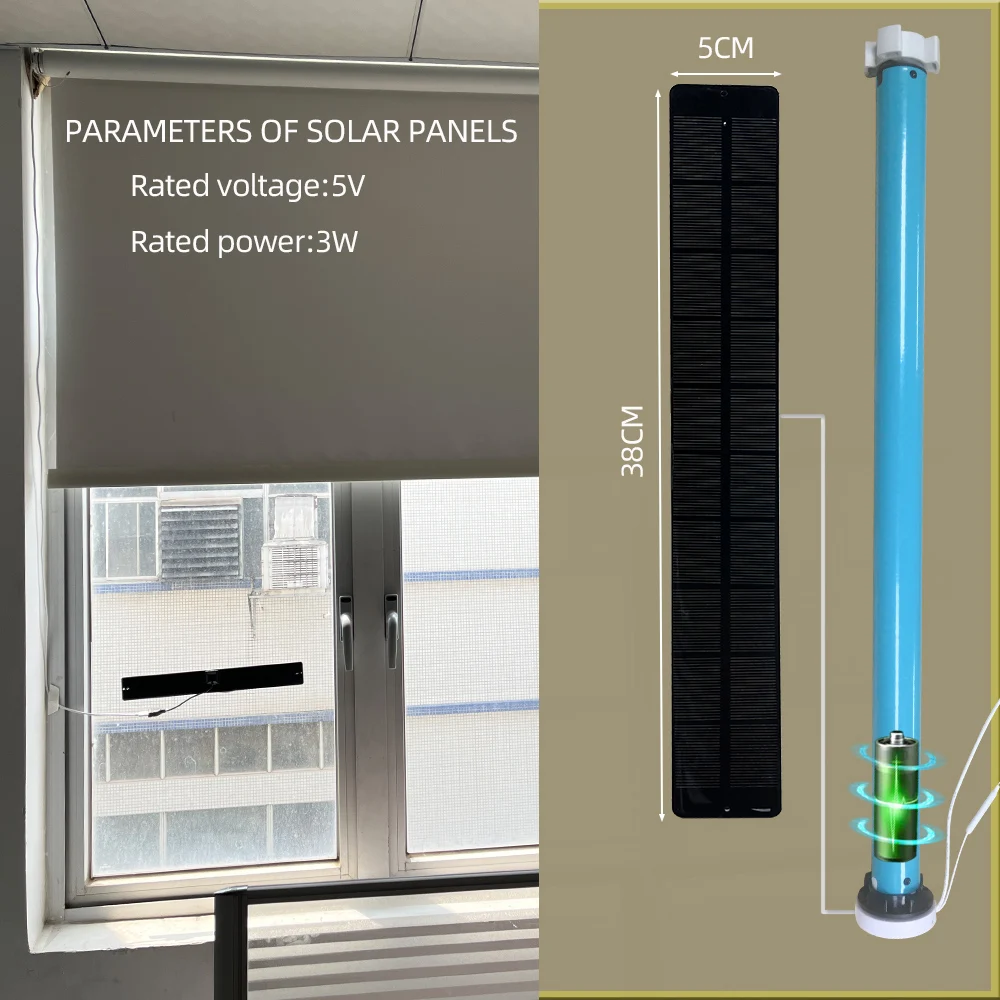
Please place the solar panel in a direct sunlight location
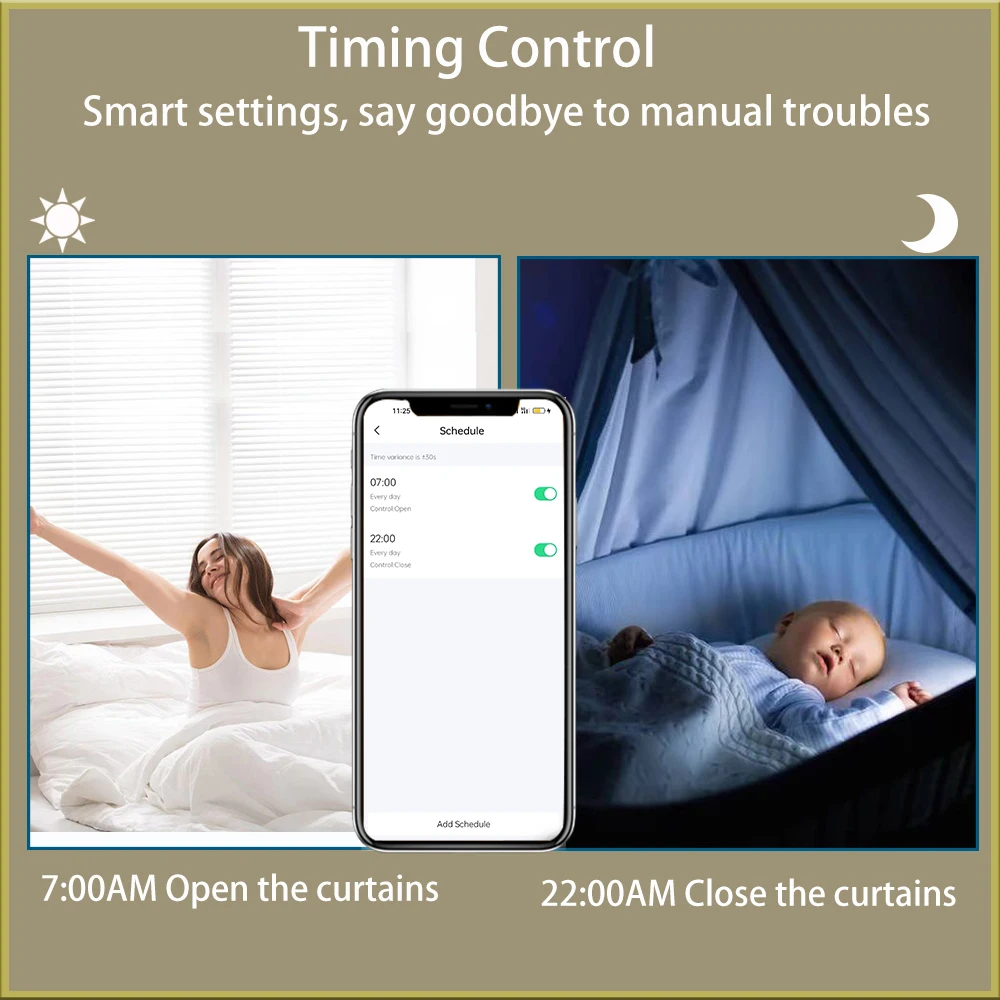
Regularly turn on/off the Smart Curtain function to sleep peacefully
Intelligent voice frees hands
Voice control by HomePod /Alexa/ Google Home/Yandex Alice
Smart Curtain can support up to 6kg and is suitable for 2.5m * 3.5m roller blinds
Please do not exceed the weight limit