Price :
QTY :
CART TOTALS :
There are items
in your cart
CART TOTALS :
With this products also buy:


We identified: …


Brand Name: CaoDuRen
High-concerned chemical: None
MPN: CN646-60014
Model Number: X451
Origin: Mainland China
compatible serial: 0
note! not new, removed from used and working printer


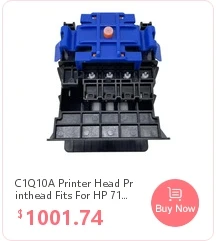
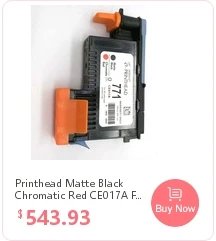
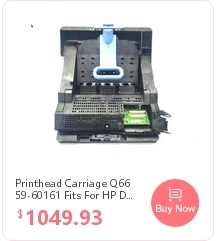

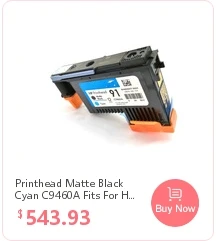
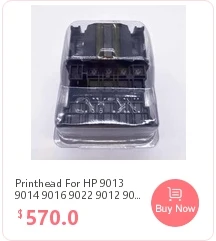
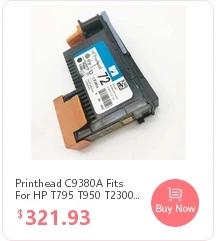
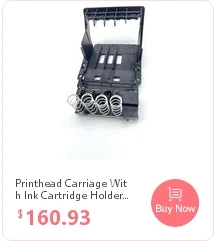


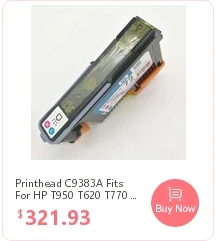
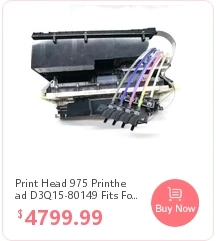
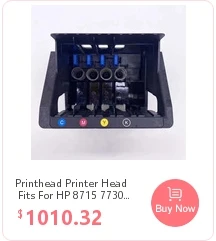
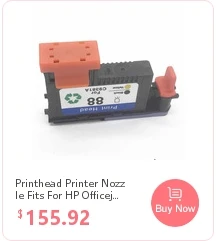
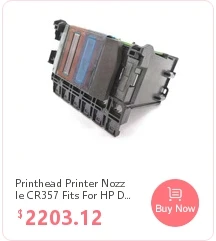
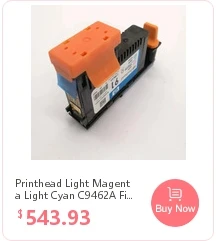
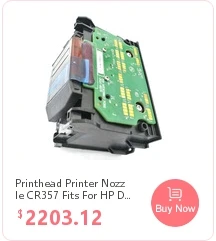
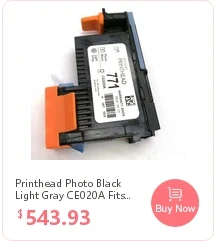
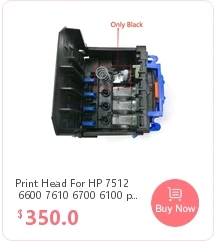

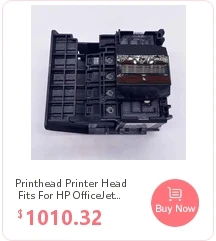
package included :1pcs
SHIPPING & HANDLING
About product warranty
We promise 3 months warranty, if there is any problem within 3 months, please contact us for replacement or return!
Payment
We accept multiple payment methods: Debit/Credit Card,QIWI,WebMoney,Yandex.Money,SMS,Ebanx,PPRO,Mercado Pago,PayPal,Doku,Mpesa,Klarna,Cash Payment,Wire Transfer/Bank Transfer/TT,Western Union,COD,installment etc.
Please send payment within 3days after bids end or your purchase. If you expect any delays in payment, please let me know.
Shipping
1.We deliver this item to worldwide via regular registered air mail with tracking number.
For example (AliExpress Standard Shipping , YANWEN Air Registered , 4PX Air Registered , China Postal Registered, sometimes USPS)
2.IF YOU NEED FASTER CARRIER, PLEASE CONTACT US FOR THE UPS/DHL/FEDEX DISCOUNT . WE SUGGEST FEDEX.
3.The item will be sent out 1 working day after the payment confirmed. The shipment usually takes 7-13 business days to reach most of other destinations around the world, but in some rare circumstances or a custom delay it may take longer, especially these countries, Russia, Brazil, Italy, etc. Please contact us if you have not received your package ter 3 weeks.
PS:Please make sure the shipping address is correct when making payment, If you need to change the address, you need to contact us within 8 hours to make the change, so that the package cannot be changed after it is sent to the wrong address.(We do not accept any change address through email)
Return policy
If your order has been received and it is not what you ordered, or your item has a manufacturer defect, please contact us within 7 business
If it is proved to be a wrong item or have a manufacturer defect, please send back the item and we will send you a replacement for free.
Buyer needs to pay the return freight charge(negotiable on a case-by-case basis).Please contact me before you send the item back, correct shipping address should be confirmed. Please ensure the item will be returned in good condition with the original packaging.
Distributor:
We can also accept the special offers from distributor for bulk order, please contact with us by email.
Feedback
Your feedback is very important for us, positive feedback is highly appreciated.
Please let us know before leaving any negative feedback, please give us the opportunity to solve any problems and we will try our best to satisfy your needs.
Customer service
If you have any questions, please send us a message on aliexpress. Because time zone is different, we will answer your questions within 24 hours
| SOLUTION FOR CANON ERROR iSSCX, Making Printer Repairs Simpler! |
|||
| Error condition | Error code | Power light | Solution or Where the fault is |
| APP misalignment | 6A80 | Orange/green light flashes 12 times alternately | Replace the cleaning unit or the main board or paper feed assembly |
| APP sensor/feed cam sensor error | 6A90/6B10 | Orange light/green light flashes 14 times alternately | Replace the cleaning unit or the main board or paper feed assembly |
| ASF (cam) sensor error | 5700 | Orange light/green light flashes 5 times alternately | Check the Paper feeder assembly |
| Automatic duplex printing cannot be performed | 1310 | Orange light flashes 10 times | Press the RFSUME button to cancel and exit this error, then Replace the ink-absorbing sponge |
| Automatic print head calibration failed | 2500 | The orange light flashes 11 times | Press the FESUME button |
| Carriage Unit wrong | 5100 | Orange light/green light flashes 2 times alternately | replace Carriage Unit or the encoder or Carriage Unit motor or main board |
| Cleaning unit (cam) sensor error | 5C00 | Orange/green light flashes 4 times alternately | Replace the cleaning unit or main board |
| Cleaning unit (cam) sensor error | 5C20 | Orange light/green light alternately 16 times flashing | check Cleaning unit drive system |
| Cleaning unit valve sensor error | 6C10 | Orange light/green light flashes alternately 23 times alternately |
Replace the cleaning unit or main board |
| Digital camera or camcorder does not support direct printing | 20C1 | Orange light flashes 9 times | Unplug the connection cable, press the RESUML button, and then reconnect |
| Drive switch error | C000 | Orange light/green light flashes alternately 21 times alternately |
Replace the cleaning unit or paper feeder |
| EEPROM error | 6800/6801 | The orange light/green light flashes 9 times alternately | Replace the motherboard |
| Front door error/CD/DVD printing timeout | 1841/1846/1856/1850/1851/1855/1830 | Orange light flashes 6 times | Close the front door |
| High temperature inside the printer | 5400 | Orange light/green light flashes 6 times alternately | Replace the paper feeder or main board |
| Ink cartridge chip error | 1410-1419 | Orange light flashes 15 times | Replace the good ink cartridges |
| Ink cartridges cannot be recognized | 1684 | Orange light flashes 14 times | Install a suitable ink cartridges |
| Ink cartridges home position detection error | 6502 | Orange light/green light flashes alternately 19 times alternately |
Reinstall the ink cartridges or replace the motherboard |
| Ink cartridges is incorrectly placed | 1681/1680 | Orange light flashes 7 times | Replace the correct ink cartridges |
| No ink | 1688 | Orange light flashes 16 times | Replace the ink cartridges with ink |
| No ink or no ink cartridges installed | 1600/1660 | Orange light flashes 4 times | Replace the ink cartridges or press the RESUME button |
| No interface support | Orange light flashes 19 times | ||
| No Paper (ASF) / No DVD / No Paper in Tray | 1000/1001/1002/1003 | Orange light flashes 2 times | After putting paper in ASF, then press the Resume button |
| Other errors | 6500 | Orange light/green light flashes alternately 20 times alternately |
Replace the motherboard |
| Paper feed encoder error | 6010 | Orange light/green light flashes 17 times alternately | check Paper feed encoder or main board or paper feed motor |
| Paper jam: the paper is jammed on the tray/ the paper is jammed at the bottom/ Error closing the front door |
1300/1303/1304/1250 | Orange light flashes 3 times | Remove the paper and press the Resume button |
| The carriage unit raises the mechanical error | 5110 | Orange light/green light flashes 11 times alternately | Adjust the Carriage Unit guide rails, frame and paper feeding components, etc. |
| The ink cartridge hardware is malfunctioning. The ink cartridge cannot be recognized. | 1682 | Reinstall the ink cartridge. If the error is not cleared, the ink cartridge may be malfunctioning, so replace it. | |
| The ink cartridge is not installed properly. The ink cartridge cannot be recognized. | 1485/1486/1487 | Reinstall the ink cartridge. If the error is not cleared, the ink cartridge may be malfunctioning, so replace it. | |
| The ink cartridge is not installed properly/The ink cartridge cannot be recognized. | 1687 | Reinstall the ink cartridge. | |
| the paper paper incorrectly | 6000 | Orange light/green light flashes 3 times alternately | Replace the encoder or pickup roller or main board or paper feed motor |
| The print head is not installed / the print head is installed improperly / printing Head EEPROM data error |
1401/1403/1405 | Orange light flashes 5 times | After installing the print head correctly or reinstalling the head, then shut down, then open the printer. |
| The print head temperature is too high error | 5200 | Orange/green light flashes 8 times alternately | Replace the print head or motherboard |
| The remaining ink level cannot be determined. | 1686 | replace the ink cartridge | |
| Unrecognized ink remaining | 1683 | Orange light flashes 13 times | Replace with new ink cartridges |
| USB port error | 9000 | Orange light/green light flashes 15 times alternately | Replace the motherboard |
| VH monitoring error (print head voltage is abnormal) | B200 | Orange light/green light flashes 10 times alternately | Replace the print head or main board or power supply |
| Waste ink full errors | 5B00/5B10 | The orange light/green light flashes 7 times alternately | Replace the ink-absorbing sponge or motherboard |
| Waste ink is nearly full | 1700/1701 | Orange light flashes 8 times | Press the RESUME button to cancel and exit this error, then replace the ink-absorbing sponge |
| Maintenance mode: First enter the maintenance mode: A. Press the RESUME button firstly, then press the POWER button to turn on the printer. B. Pressing the POWER button, and release the RESUME button at the same time. Then double-click the RESUME button. C. Release the POWER key and RESUME key at the same time, and when the power light turns green, it will enter the maintenance state. |
|||