








Price :
QTY :
CART TOTALS :
There are items
in your cart
CART TOTALS :
With this products also buy:


We identified: …


Bracket Type: Ordinary Bracket
Brand Name: MAFNKOU
Brightness: 420cd/m
Built-in Speaker: Yes
Choice: yes
Contrast Ratio: 1500:1
Display Ratio: 15:10
Feature: Speaker,Touch Screen
High-Dynamic Range: HDR10
High-concerned chemical: None
Horizontal Viewing Angle: 178°
Matrix color depth: 8 bit
Origin: Mainland China
Panel Type: IPS
Refresh Rate: 60 Hz
Resolution: 2560x1600
Response Time: 20ms
Screen Type: LCD
Screen curvature: Other
Selling Point
1.【Stunning Visual Experience】
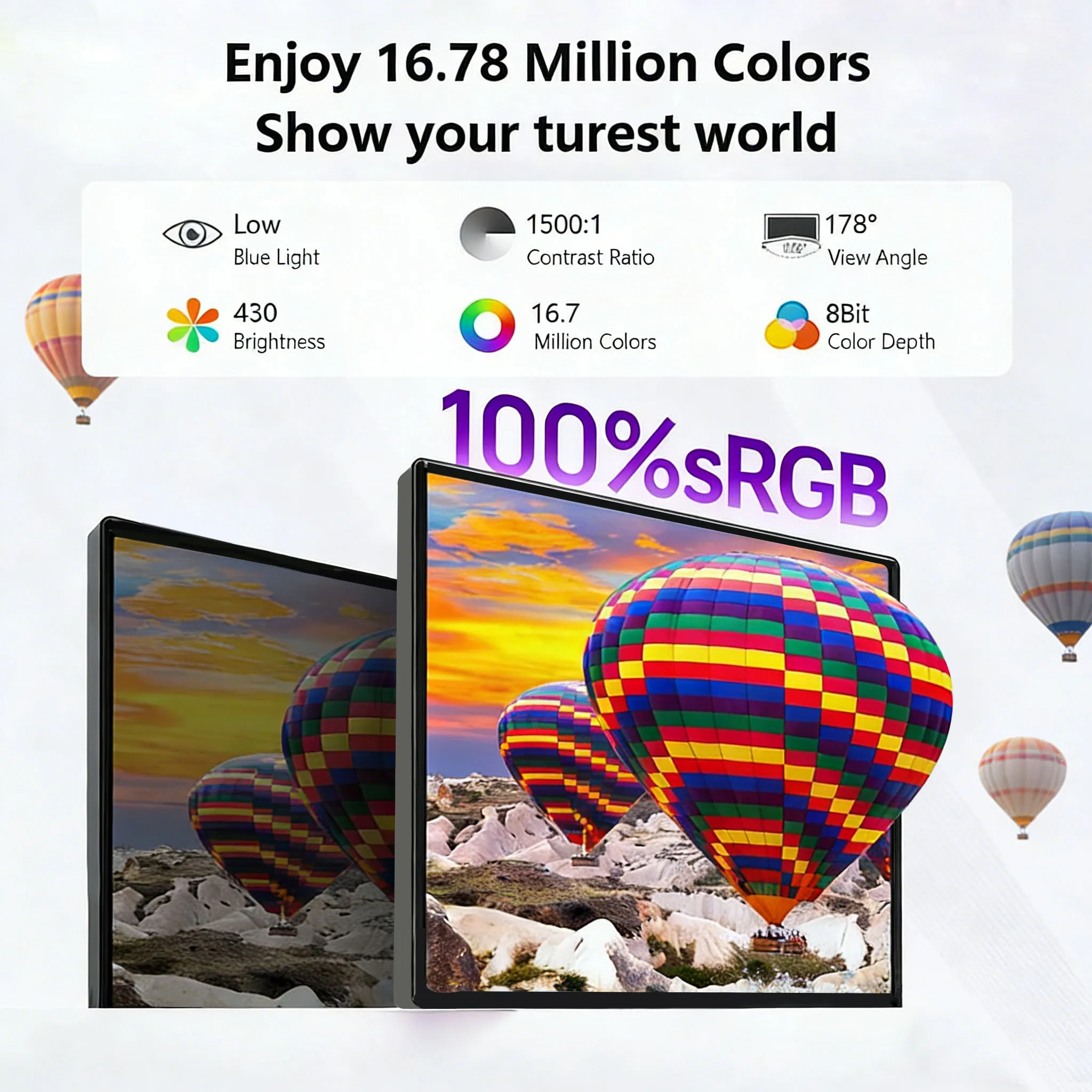
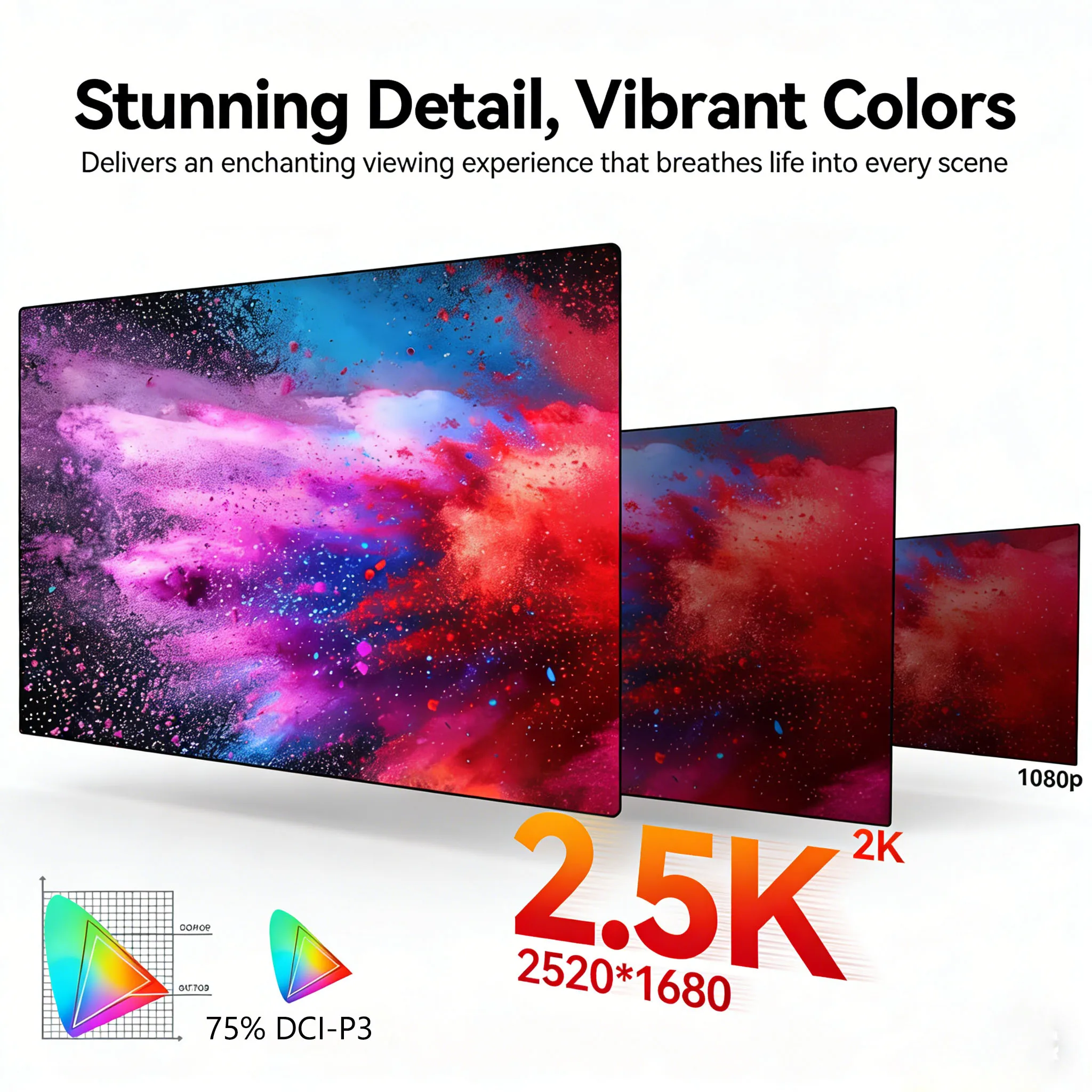
13.3-inch 2.5K (2520×1680) QHD IPS HDR panel delivers true-to-life visuals, with a 1500:1 contrast ratio, 178° wide viewing angle, and 430 nits brightness for an immersive viewing experience.
2.【Professional Color Performance】
Covers 100% sRGB and 75% DCI-P3 color gamut, with ΔE < 5 color accuracy and 16.7 million colors, ideal for design and photo editing tasks requiring precise color reproduction.
3.【0-Point Multi-Touch | Smooth & Instant Responsive Control】
This portable monitor features a responsive 10-point multi-touch screen for smooth, precise touch control. Tap, swipe and zoom with ease, ditching bulky peripherals for intuitive operation. Compatible with mainstream touch-supported devices and systems, it brings flexible interactive experience for work, play and creative tasks anywhere you go.
4.【Wide Compatibility】
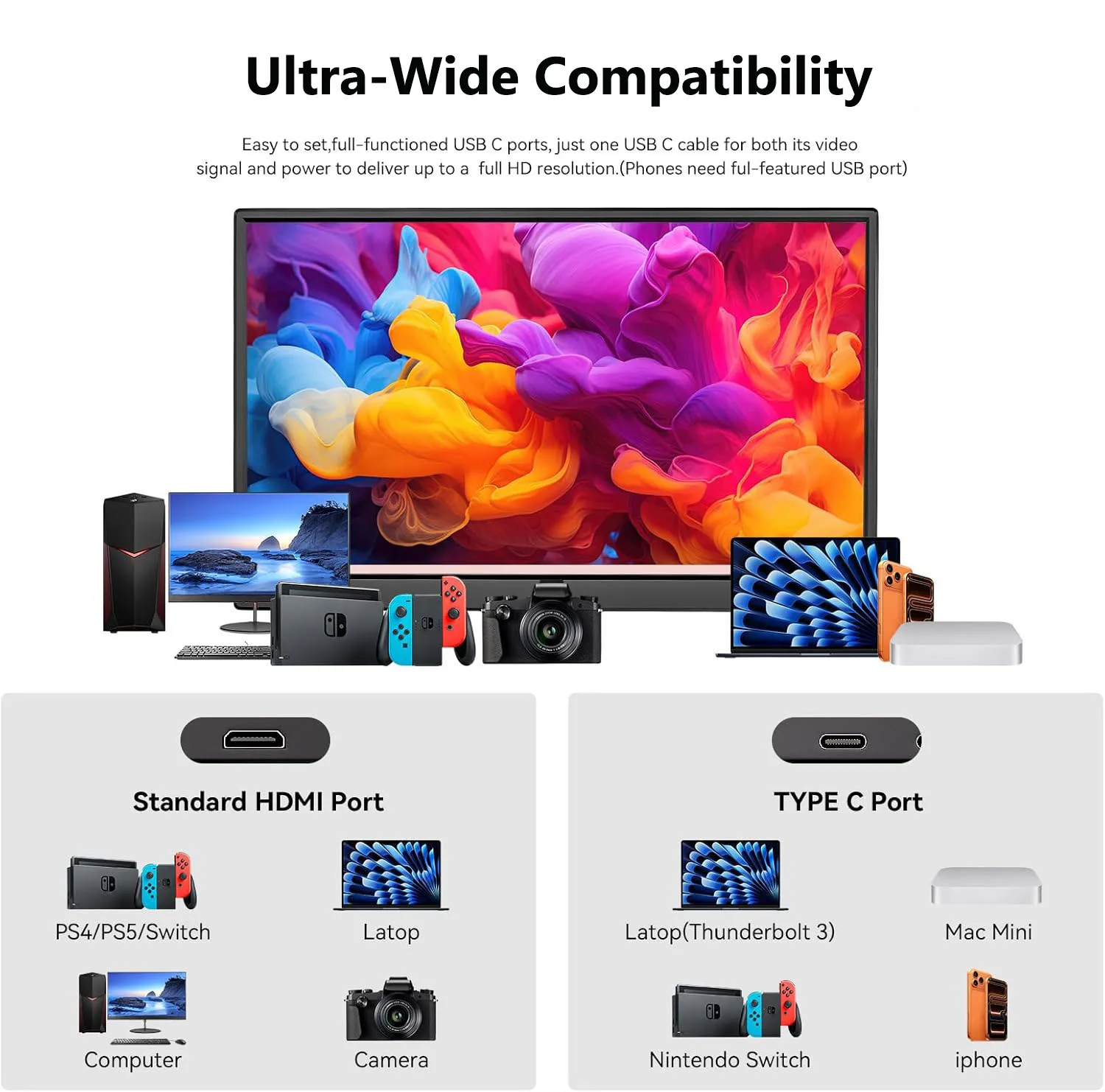
Works with gaming consoles (Switch, PS3/4/5, Xbox), smartphones, laptops, and more, perfect for both entertainment and productivity scenarios.
5.【Flexible Display Modes】
Offers Extend Mode, Second Screen Mode, and Duplicated Mode to boost multitasking efficiency, adapting to different work and creative needs.
6.【Convenient Connectivity & Eye Care】
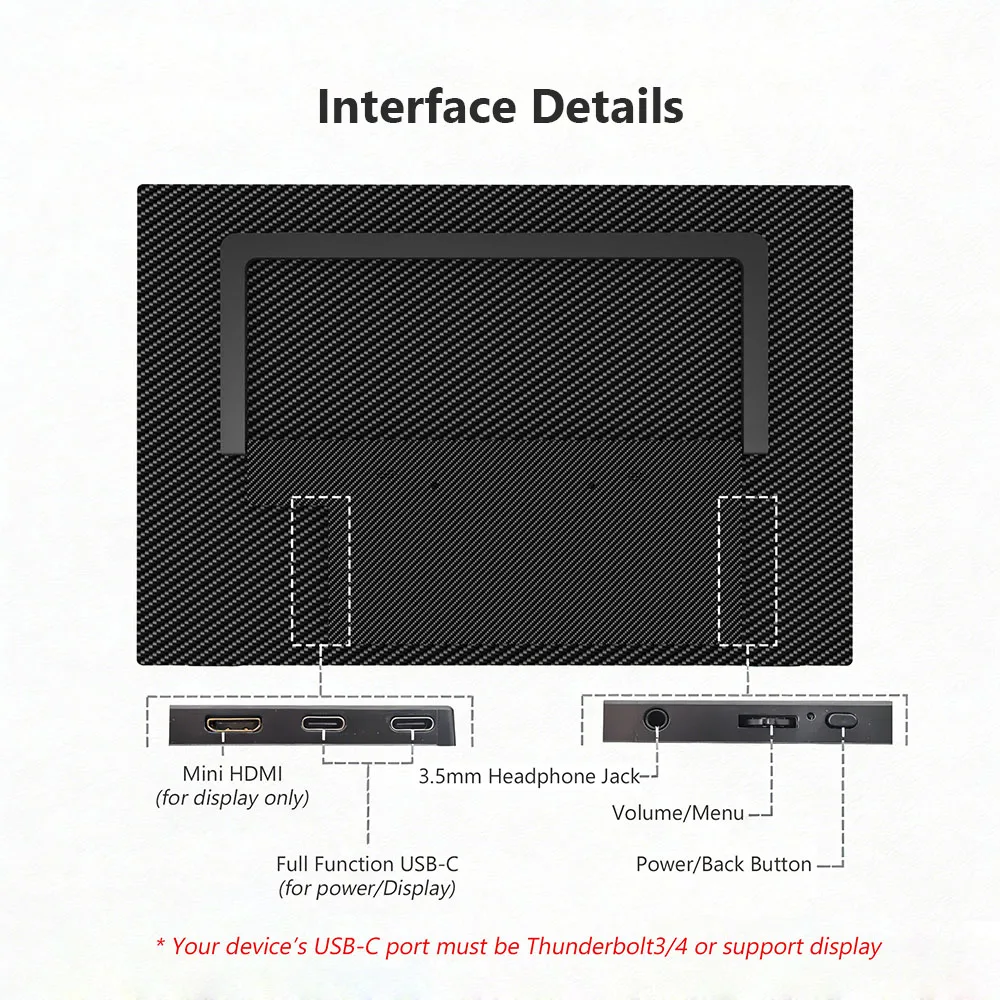
Full-featured USB-C port for one-cable video and power delivery, plus HDMI + USB-A connectivity options. Features low blue light technology to reduce eye fatigue during long sessions.
7.【Portable & User-Friendly】
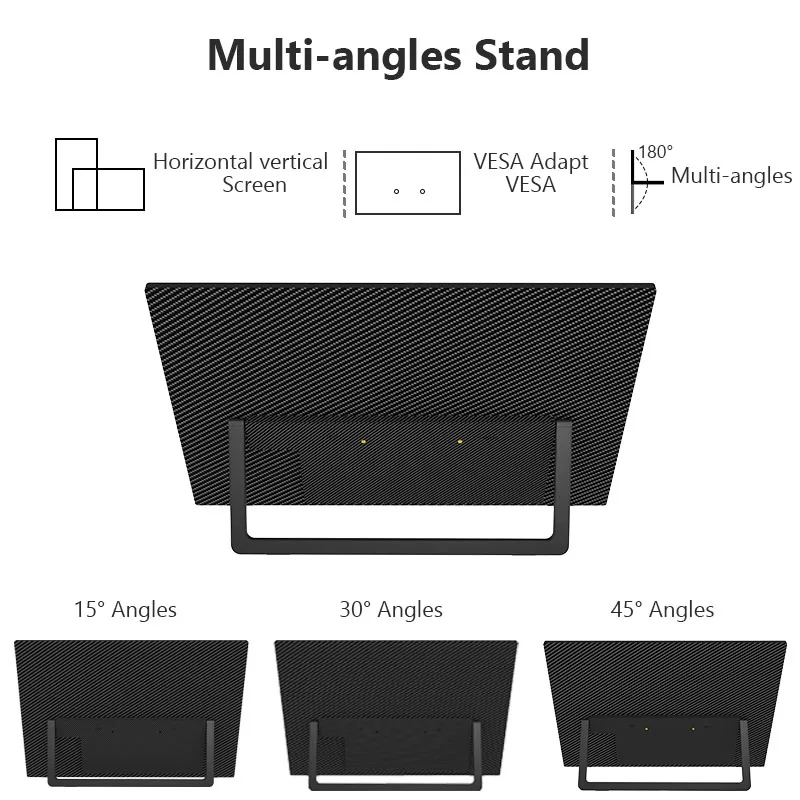
Built-in stand eliminates the need for additional accessories, making it lightweight and easy to carry for business trips and mobile work.
Product Parameters
Screen Size:14.2 inch
Resolution:2520*1680
Screen ratio :15:10
Color gamut:100%sRGB
Bit Depth: 8Bit
Contrast :1500:1
Brightness :430NIT
Panel: IPS
Visibility:178°
Response time:20ms
Built in audio system:1W 8Ω
Type-C Connection Compatibility:
1. Supported: Devices with a Type-C port that supports Thunderbolt™ or DisplayPort Alt Mode.
2. Not Supported: Standard Type-C ports that only handle data and power.
3. Note: Compatibility depends on your specific device model. (For specific connection methods and compatible models, please refer to the instructions at the end of this page)



Connection Method


Compatible Models

Q&A
Q: The screen displays "blue no signal"
A: If you use a mobile phone to connect, you need to check whether the phone supports USB3.1 version output, whether it supports DisplayPort alternative mode (DP Alt Mode), and whether it supports MHL protocol mode. If not, it may be incompatible. You can use some converters for compatibility, such as: HD adapter cable. If not, it will display a blue no signal state. Please add a Mini HDMI to HDMI cable for signal transmission. If you use HDMI connection, you need to check whether your graphics card is connected correctly. As long as it displays blue no signal, it proves that there is no problem with the monitor, but there is no signal input. If there is a discrete graphics card, you must connect the discrete graphics card.
Q: Do I need to connect the power supply when using it?
A: The laptop uses a TPYE-C connection cable and does not need to be connected to the power supply. If the power supply is insufficient, the screen will flicker and USB power supply is required. If you use HDMI connection, you must use USB power supply. If the screen flickers, it may be insufficient power supply.
Q: What is the reason for the screen flickering?
A: The screen flickering is caused by insufficient output or power supply of your device. It is recommended to use a 30W or higher PD power supply.
Q: What is the reason for the screen flickering?
A: The monitor itself does not have the vertical screen function, so it does not support vertical screen. These functions can only be set on the mobile phone. The monitor only provides display functions. Unless you set the mobile phone to computer mode or set the vertical screen on the computer, the monitor itself does not support vertical screen.
Q: Does it support touch function?
A: This product has two models: touch version and non-touch version. There is a difference between the touch version and the non-touch version. Please choose the corresponding model to place an order according to your needs to avoid purchasing the wrong model.
Q: My monitor cannot turn on.
A: Please check whether the monitor and your device are in power-on mode. Make sure the cable is connected correctly. Connect other available devices or cables to check.
If you use the USB-C interface connection: You can use the USB-C cable to achieve power supply and signal transmission (one line for two purposes, also known as one line pass) and get power directly from the laptop. If you use the HDMI interface connection, you must use a two-wire connection solution. The HDMI cable is only responsible for video signal transmission. You need an additional power supply solution. You can choose one of the following methods:
A1: Powered by a power adapter connected to the socket (30W and above PD power is recommended)
A2: Powered from the computer USB through a separate USB cable (If the computer USB power supply is insufficient, it may cause false alarms such as insufficient brightness, flickering, black screen, etc. It is recommended to use a 30W and above PD power supply).
Q: Why does the monitor make an electric current sound or a rustling sound?
A: Please confirm the source of the noise. If it is a connection noise, please re-plug the interface or replace a new cable. If it is the sound of the adapter or speaker, it may be due to the quality problem of the power adapter.
Q: Why is my touch screen not working?
A1: When purchasing, please make sure you choose whether the purchase supports touch function.
A2: Check the connection: For laptops/desktops, connect both the HDMI and touch cables (included). For USB-C interfaces, your port must support Type-C 3.1+/Thunderbolt 3.
A3: Mobile phone compatibility: Supports direct screen projection, but may not support touch in desktop/extended mode.
A4: Best practice: Always connect: √HDMI cable, √ power cable, √ touch cable
A5: Computer system compatibility: Supports direct screen projection, or setting the touch screen as the main screen may not allow accurate touch, or support touch in secondary or extended mode.
Q: Does this computer monitor support VESA wall mounting?
A: Supports VESA wall mounting
Q: Are there speakers?
A: Yes, with built-in speakers.
Q: Does it support Apple phones?
A: Basically not. However, after testing, the iPhone 15 PRO can project the screen, but does not support vertical screen and touch functions.


